Professional Clipping Path Service Provider
AI cutout apps output messy raster masks that break in print layouts. Expert Graphics International operates as a professional clipping path service provider built on 100% hand-drawn Photoshop Pen Tool precision delivering smooth Bézier curves and 1–2px edge insets. Clean vectors matter. We embed named paths directly into EPS, TIFF, and layered PSD files CMYK 300 DPI ready.
Our 200+ in-house specialists handle simple cutouts, multi-clipping paths, and super-complex bicycle spokes or jewelry chains overnight via 256-bit SFTP protected by signed white-label NDAs. Deadlines never wait. Last month, we delivered 22,500 deep-etched product frames for European print studios and agencies on a 12-hour SLA with 4-hour rush slots.
Price Starts From $0.25 Per Image

PER DAY DELIVERY
IMAGES

WE HAVE
GRAPHIC DESIGNERS

STARTS FROM
PER IMAGE

WE PROVIDE
OR LESS DELIVERY TIME
365 DAYS
CUSTOMER SUPPORT
Types of Clipping Path Service
Here is a list of clipping path service that we provide.
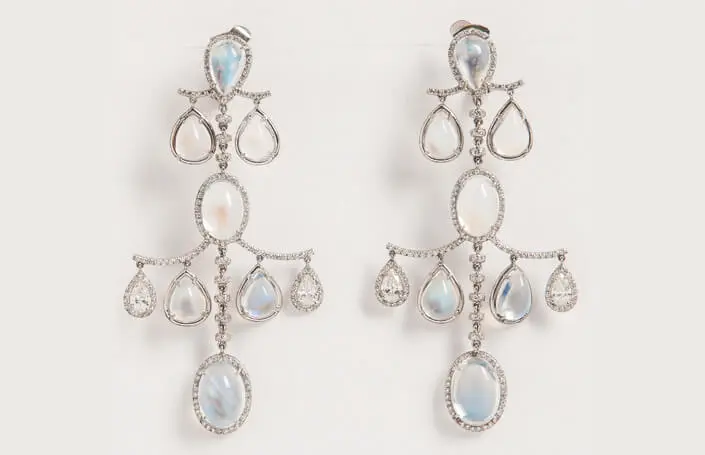
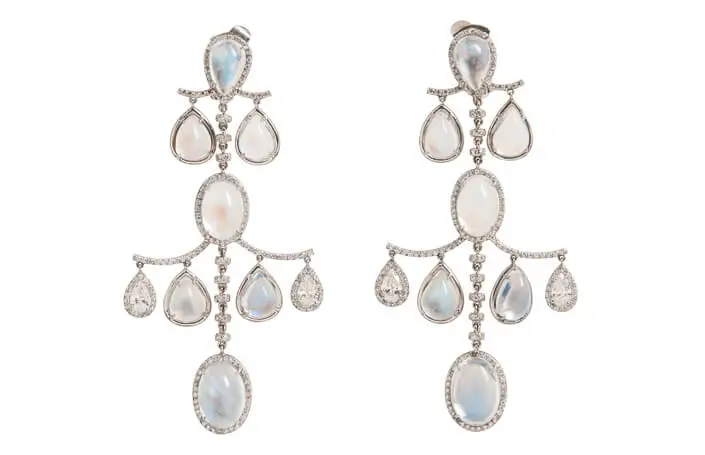
Image on White Background
Cluttered studio backdrops distract buyers and ruin catalog consistency. Placing your image on a white background via 100% hand-drawn Photoshop Pen Tool paths with a clean 1–2px edge inset eliminates jagged halos completely. Crisp edges convert. Last month, we isolated 7,400 jewelry and apparel SKUs for a UK retailer on a 12-hour SLA.

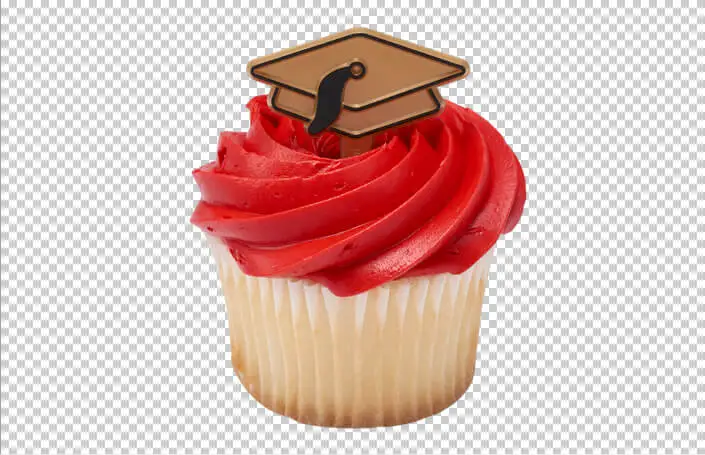
Image on Transparent Background
Multi-channel campaigns need flexible assets that drop cleanly onto any layout. Delivering your image on a transparent background layered PSD, TIFF, or 24-bit PNG lets art directors swap colors and banners without re-shooting. Vector precision matters. Expert Graphics International clips 3,800+ transparent packaging and bakery frames weekly for global ad agencies.
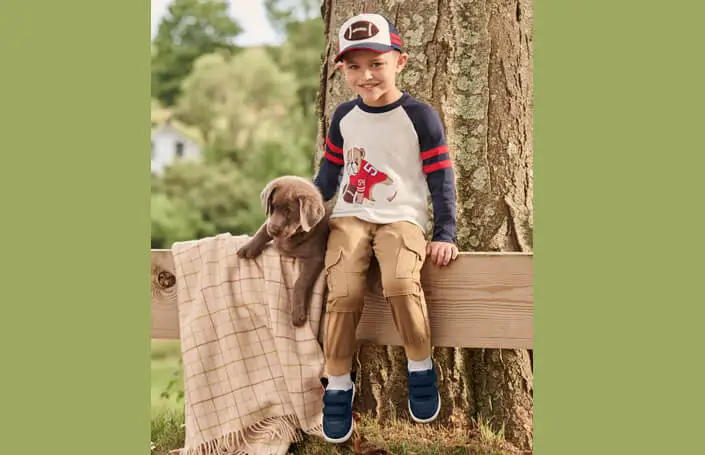
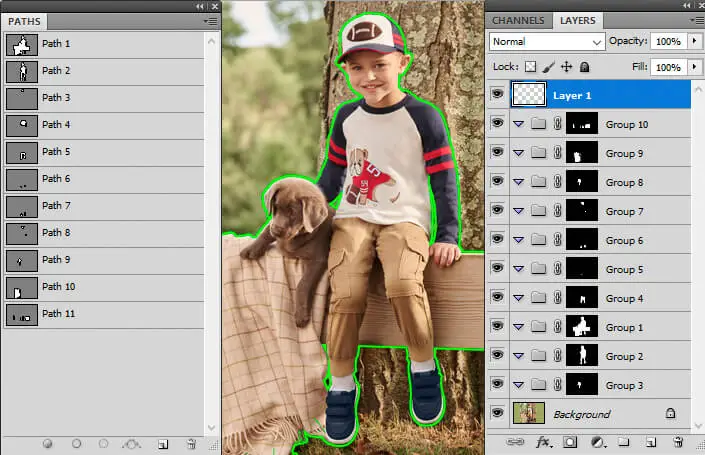
Multi Clipping Path/Multiple Selections
Flat selections limit color grading on complex, multi-material products. Our multi-clipping path multiple selections workflow isolates separate components fabrics, skin tones, labels, or shoe soles onto independent 16-bit vector paths. Granular control saves hours. In our experience handling agency lookbooks, named multi-paths cut studio post-production time by 40%.
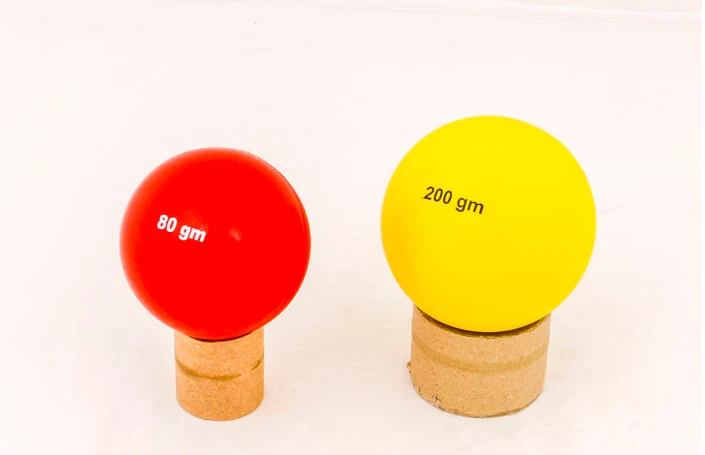
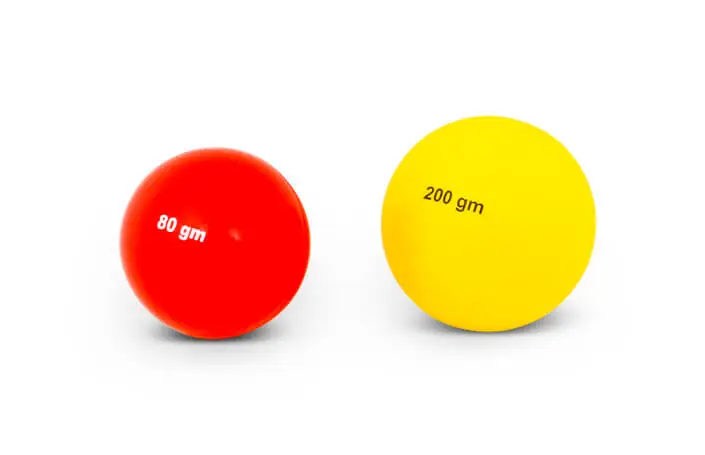
White Background with Shadow
Floating cutouts look fake and cheapen high-ticket merchandise. Pairing a white background with shadow whether natural drop shadows or preserved contact shadows grounds every product realistically on the canvas. Depth builds buyer trust. Last week, we added uniform drop shadows to 4,100 sporting goods SKUs for a European distributor in 12 hours.
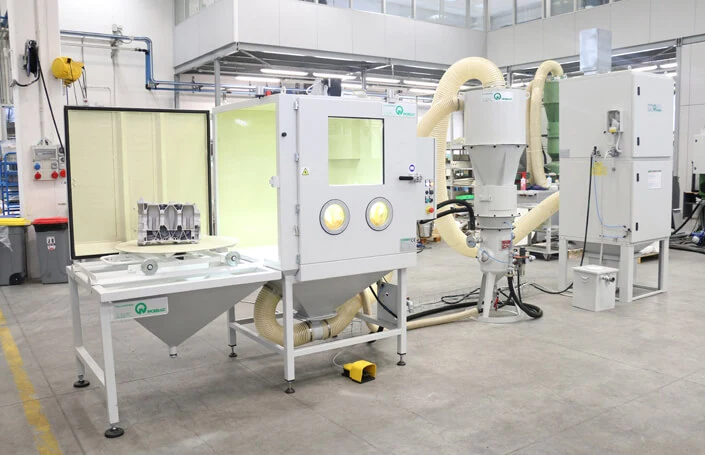
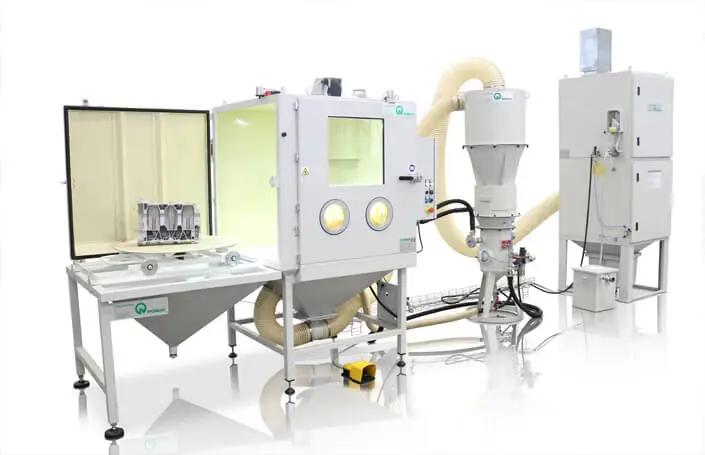
White Background with Reflection Shadow
Glossy machinery, glassware, and luxury packaging demand realistic surface depth. Using a white background with reflection shadow creates a subtle, grounded mirror effect—giving flat studio shots crisp 3D dimension without distracting glare. Clean reflections sell. Expert Graphics International builds manual gradient reflections for industrial and cosmetics catalogs zero harsh auto-presets.
Print & InDesign Embedded Clipping Paths
AI raster masks break immediately inside commercial print layouts. Our print and InDesign embedded clipping paths lock named vector paths with 0.2–0.5 flatness values directly into CMYK 300 DPI EPS, TIFF, and layered PSD files. Press accuracy protects budgets. Last quarter, we delivered 5,600 print-ready catalog plates for German publishers via 256-bit SFTP.
Get Free Trial
Are you looking for a budget-friendly, top-quality image editing company? Simply fill out this form.
What is a Clipping Path?
A clipping path is a closed vector path (also called a “deep etch”) used in image editing to isolate and extract part of a 2D image by removing everything outside the path.
When applied, everything inside the path is preserved, and everything outside is discarded. Clipping paths are typically created using the Pen Tool in Adobe Photoshop or equivalent tools in Illustrator, allowing for precise, pixel-perfect selection. Depending on the editing software, the resulting edge can appear either hard (aliased) or soft (anti-aliased).
How Does Clipping Path Work?
A clipping path works by using a closed vector outline to isolate an object from its background. The process begins by creating a vector path around the object, typically using the Pen Tool in Photoshop. Once the path is defined, everything outside it is removed, effectively cutting out the object from its original background.
The clipped object can then be placed onto a new background, which is commonly used in graphic design and advertising for creating composite images. The clipping path ensures clean, sharp edges around objects, particularly those with well-defined boundaries, such as electronics or accessories.
The clipping path itself is a scalable, vector-based outline, which ensures precision and flexibility. It acts as a crop, making only the desired portion of the image visible through the defined path. Tools like the Pen Tool and Direct Selection Tool in Photoshop allow for precise creation and modification of the path, ensuring the clipping is accurate and adjustable without affecting the rest of the image. In essence, clipping paths isolate objects with clean edges, making it easier to replace backgrounds or combine objects into new compositions.
Why is Clipping Path Important for Photo Editing?
Clipping path is essential in photo editing as it isolates parts of an image with precision, making it invaluable for industries such as e-commerce, fashion, and marketing. This is why it’s crucial:
Precise Isolation: Clipping paths allow for exact separation of parts of an image, which is crucial for tasks like product photography. The subject can be isolated from the background for further editing or compositing with other images.
Professional Image Quality: It ensures sharp, clean edges and smooth transitions between the subject and the new background, resulting in polished, professional-looking images. This is particularly important for e-commerce and marketing, where high-quality visuals are necessary.
Non-Destructive Editing: Clipping paths are non-destructive because they preserve the original image quality, allowing for ongoing edits without losing detail. This flexibility is ideal for making adjustments without impacting the underlying image.
Simplified Image Manipulation: The technique simplifies tasks like enhancing, retouching, and adjusting images. Whether isolating a subject or replacing a background, clipping paths make these processes seamless and efficient.
Handling Complex Edges: Clipping paths are effective for complex edges, such as fine hair or lace, using advanced techniques to isolate subjects with intricate details, even when objects overlap.
E-commerce and Branding: In online businesses, clipping paths help focus on the product or subject by removing distracting backgrounds, making it a key tool for creating clear, professional product presentations.
In summary, clipping paths are crucial for producing high-quality, professional images, such as product photos or editorial portraits. They enable precise adjustments and ensure polished visuals, making them indispensable in commercial and creative photo editing.
What are the best uses of clipping paths?
Clipping paths are used in various fields, including e-commerce, advertising, graphic design, photography, and print, to isolate products from backgrounds for clean, professional-looking images with transparent backgrounds.
In advertising, they create precise visuals by placing subjects against different backgrounds without distortion. Designers use clipping paths to craft custom shapes, logos, and vector designs, enabling maximum creativity. In image manipulation, clipping paths facilitate seamless edits like changing backgrounds or adding new elements, while maintaining sharp image quality.
Photographers rely on clipping paths to remove or alter backgrounds, especially for objects with sharp edges, such as clothing, jewelry, and electronics. In real estate and fashion, clipping paths help create clean, isolated images for marketing materials. They are used in print design to integrate objects into brochures, flyers, and advertisements with transparent backgrounds. Clipping paths create custom frames for artwork, allowing designers to highlight key elements and hide unnecessary parts. Overall, clipping paths are essential for anyone looking to manipulate images with precision and control.
What factors affect the cost of clipping paths?
The cost of clipping paths is influenced by several factors:
- Image Complexity: Image complexity influences the cost. Simpler images with clean edges or basic shapes cost less, while more complex images—such as those with intricate details, multiple holes, or varying transparency—require more time and expertise, leading to higher costs.
- Pricing Structure: Pricing methods affect cost:
- Hourly Rate: $6.00 to $45 per hour, based on complexity and skill level.
- Flat Rate: A fixed price per image regardless of its complexity or processing time.
- Project Fees: Prices vary by volume, with bulk orders often discounted.
- Service Packages: Providers may offer different packages for varying complexity levels.
- Volume of Images: Prices vary by volume, with bulk orders receiving discounts.
- Turnaround Time: Expedited services for faster delivery often incur additional fees.
- Quality Requirements: High-quality edits, requiring fine details or advanced techniques, generally cost more.
- Service Provider Expertise: Experienced service providers who use advanced tools typically charge higher rates.
- Type of Clipping Path Service: The type of clipping path affects pricing:
- Basic: $0.089 – $0.35 for simple shapes.
- Simple: $0.45 – $0.79 for images with a few curves.
- Medium: $1.25 – $1.39 for more complex designs.
- Complex: $2.49 – $2.95 for intricate edges or transparency.
- Super Complex: $6.45 – $7.99 for highly intricate items.
- Compound/Multiple: $10.90 – $12 for images requiring multiple techniques.
- Additional Costs: Extra services like color correction, shadow creation, and revisions may add to the cost. Some providers offer a few free revisions.
Understanding these factors can help you select the right clipping path service based on your needs and budget.
Why is the clipping path right for you?
The clipping path is ideal if you need precise control over your images, ensuring sharp, defined edges without distractions like halo effects or rough cut-outs. It enables seamless background removal or object replacement, giving your images a professional, polished look, which is especially important for e-commerce, where high-quality product images are essential. Clipping paths also allow flexibility, enabling you to crop and adjust specific areas without affecting the rest of the image.
Widely used in digital photography, advertising, and publishing, clipping paths are crucial for maintaining focus on your subject, particularly in product photography. When executed correctly, they enhance the natural appearance of your images, making them stand out and preventing mistakes that could harm consumer perception. If you want to improve image quality, especially for product photography or background removal, clipping paths are the perfect solution.
Who Needs a Clipping Path?
A clipping path is essential for various professionals and businesses that require precise image editing. E-commerce businesses use clipping paths to remove backgrounds from product images, such as clothing or electronics, enhancing their appeal. Photographers rely on them to refine portfolios and marketing materials, while graphic designers use them to seamlessly integrate images into advertisements, brochures, and websites.
Marketing agencies and publishers often need clipping paths for creating polished promotional content and improving image clarity. Fashion and apparel brands use them to highlight clothing and accessories by removing distracting backgrounds, allowing the products to stand out more effectively in promotional material. Real estate agents rely on clipping paths for clean, professional property images. Social media managers benefit from clipping paths to create visually consistent and appealing posts. Beyond these uses, clipping paths are vital for background removal, object isolation, and creating custom graphics for various creative projects.
The Clipping Path and the Importance of Clipping Path Service in Photo Editing Industry.
Commercial post-production breaks down without clean vector isolation. Understanding the clipping path and the importance of clipping path service in the photo editing industry comes down to precision: hand-drawn Photoshop Pen Tool paths preserve original pixels while separating subjects cleanly. Automated masks fail print specs. Expert Graphics International classifies every batch across five strict complexity tiers:
Basic Clipping Path ($0.25/image): Straight or simple curved shapes with zero enclosed holes boxes, books, frames, and smartphones isolated with clean 1–2px edge insets.
Simple Clipping Path ($0.50/image): Products featuring multiple curves or a single enclosed hole watches, rings, shirts, chairs, and basic eyewear traced manually at 200% zoom.
Complex Clipping Path: Subjects with rough edges, multiple holes, and intricate contours jewelry chains, floral arrangements, and furniture frames requiring dense anchor points.
Compound / Multi-Clipping Path: Separate named vector paths inside one layered file isolating fabrics, skin tones, labels, or shoe soles for independent 16-bit color grading.
Super-Complex Clipping Path: High-density commercial assets like bicycles, architectural interiors, and group apparel shots often taking 2 to 6 hours of manual Pen Tool craft per frame.
Core Production Role: Every downstream task—color matching, natural shadow creation, and InDesign print layout depends on an accurate closed vector path first.
Tips to Hire a Best and Budget Friendly Clipping Path Agency
Most vendors promise pixel accuracy and then deliver sloppy AI cutouts overnight. Following practical tips to hire a reliable, budget-friendly clipping path agency protects your studio from blown deadlines and hidden revision fees. Look past cheap sales pitches. Audit real Pen Tool anchor points, daily SKU capacity, and SFTP security before signing any production retainer:
Quality and Capability of Work
Never trust a static portfolio page alone. Testing quality and capability of work starts with sending 3 complex raw frames inspecting anchor-point smoothness and 1–2px edge insets at 200% zoom. Volume matters too. Expert Graphics International handles 5,000+ daily images in-house, proving both craft and peak-season capacity before you commit.
Competitive Pricing
Rock-bottom rates usually mean automated AI masks disguised as manual work. Evaluating competitive pricing means comparing clear complexity tiers $0.25+ for basic shapes up to custom multi-path quotes against revision rates. Cheap cutouts cost more later. Transparent per-image tiers and 15% to 30% monthly retainer discounts protect your studio margins.
Turnaround Timing
Seasonal catalog launches collapse when post-production runs late. Checking turnaround timing means verifying real shift coverage rather than vague 24-hour promises. Deadlines stay tight. With 200+ in-house editors running 24/7 shifts across Buffalo, Lisbon, and Dhaka, we lock a 12-hour standard SLA with 4-hour rush slots for urgent agency drops.
Working Experience
Generalist freelancers struggle with CMYK print flatness values and multi-layer studio specs. Verifying working experience means looking for dedicated pods that handle commercial catalogs, print publishers, and ad agencies daily. Practice prevents costly reprints. In our experience handling 10,000+ SKU batches, seasoned senior QA leads keep client revision rounds below 0.7%.
Data Security
Unreleased seasonal collections and agency campaigns cannot sit on public cloud apps. Auditing data security before hiring a clipping path partner protects your intellectual property from leaks. Ask for written proof. Expert Graphics International runs encrypted 256-bit SFTP transfers, offline workstations, and signed mutual NDAs across every commercial account.
Difficulties You May Face Without Our Photoshop clipping path Services
Relying on automated background removers creates expensive studio bottlenecks fast. The main difficulties you may face without our Photoshop clipping path services include jagged color halos, broken InDesign print layouts, and mismatched catalog margins. Sloppy cutouts kill buyer trust. When we audited 6,000 retail SKUs last quarter, auto-cutout artifacts forced agencies into three extra revision rounds.
Why Should Hire Expert Graphic International for Clipping Path Service
High-volume studios need predictable vector craft rather than freelancer guesswork. You should hire Expert Graphics International for clipping path service because our 200+ in-house specialists run 100% hand-drawn Pen Tool workflows backed by 3-tier manual QA and signed white-label NDAs. Capacity scales fast. We process 5,000+ daily frames across Buffalo, Lisbon, and Dhaka shifts:
Fast 3-to-10 Image Pilot Test: Inspect our manual Pen Tool paths on your toughest raw files returned within 2 to 5 hours before signing a retainer.
200+ In-House Vector Specialists: Zero third-party outsourcing; dedicated pods scale from 50 weekly frames to 5,000+ daily catalog batches.
12-Hour Standard & Overnight Rush Delivery: Predictable 24/7 shift coverage built for tight print press and e-commerce launch windows.
3-Tier Manual Quality Control: Senior leads audit every path at 200% zoom for smooth Bézier curves, zero color halos, and exact flatness values.
Encrypted 256-bit SFTP & Cloud Workflows: Seamless batch transfers via SFTP, FTP, Dropbox, or WeTransfer with optional 6-month encrypted archive storage.
Direct 24/7 B2B Account Support: Reach your production manager anytime via Slack, WhatsApp, email, or direct phone zero ticket queues.
Flexible Global B2B Billing: Pay per batch or via monthly agency retainers using bank transfer, corporate credit/debit cards, or PayPal.
Want to get professional clipping path services?
What Our Client Says
We, the team who believe in quality service and our quality services create a natural slime in the face of every customers with utmost satisfaction.
“ I had my clipping services done by them. Highly recommended! You can take your pictures to another level by their service.“
“ Good quality and unbeatable service. They have excellent editing tools and would definitely recommend Expert Graphics International.“
“ Excellent service! I had my photo retouching services by them and was highly satisfied with the result. Thank you very much.“
“ I have just reviewed the whole project. The result is impeccable, I am very pleased to be able to work with you. I am sure our working relationship will be good.“
FAQ
Production managers need hard technical specs before moving catalog batches. These clipping path service FAQs cover our 100% hand-drawn Photoshop Pen Tool workflows: turnaround SLAs, software standards, Wacom hair masking, and 256-bit SFTP transfers. Automated bots break print files. Last month, Expert Graphics International processed 22,500 frames holding a 99.4% approval rate.
How do you create the clipping path?
Automated selection tools leave jagged edges and color halos. We create a clipping path manually in Adobe Photoshop using the Pen Tool zooming to 200% to plot smooth Bézier curves with a clean 1–2px edge inset. Vector accuracy holds up in print. Every named path embeds cleanly into EPS, TIFF, or layered PSD files.
What is your turnaround time for clipping path service?
Tight seasonal launches cannot wait on slow vendors. Our turnaround time for a clipping path project runs on a 12-hour standard SLA with 4-hour rush slots for urgent agency drops. Super-complex bicycles or chains take 24 hours. With 200+ in-house editors working 24/7 shifts, we clear up to 5,000+ daily frames.
Can I send you some images or 1 image for clipping path service?
Zero minimum order limits apply here. You can send a single image or a small batch for clipping path service whether testing our craft on 1 complex frame or offloading 10,000 seasonal SKUs. Small studio runs get identical care. Every file passes the same 3-tier manual QA before delivery.
What is the difference between clipping path service and background removal?
Studios often confuse the technique with the final output. The difference between clipping path service and background removal is simple: a clipping path is the closed vector outline drawn around an object, while background removal uses that path to knock out the backdrop. Vectors also isolate separate parts for color grading.
What software is used for clipping path services?
Free tools like GIMP and auto-selectors like Magnetic Lasso ruin commercial print plates. The industry software used for professional clipping path services is Adobe Photoshop—paired with Adobe Illustrator for pure vector artwork. Manual Pen Tool paths stay editable. Expert Graphics International delivers CMYK 300 DPI files ready for InDesign layouts.
Who needs clipping path services?
Any business shipping high-volume visual catalogs cannot afford sloppy cutouts. Teams asking who needs professional clipping path services include e-commerce retailers, product photography studios, print publishers, and white-label ad agencies. Deadlines stay tight. In our experience supporting 200+ commercial accounts, outsourcing vector isolation frees creative directors for campaign strategy.
Do you use a pen tablet to separate photos with natural hair?
Hard vector paths chop off fine hair and fur unnaturally. We use Wacom pen tablets to separate photos with natural hair applying manual Alpha Channel and Layer Masking rather than rigid clipping paths. Soft edges stay organic. Last week, our masking pod processed 1,400 fashion model and knitwear frames in 12 hours.
Are you a budget friendly clipping path agency?
Rock-bottom rates usually mean sloppy AI cutouts disguised as manual craft. As a budget-friendly clipping path agency, Expert Graphics International prices strictly by complexity starting at $0.25 for basic shapes and $0.50 for simple curves. Volume lowers unit spend. Monthly studio retainers unlock 15% to 30% discounts saving one agency $2,900 last quarter.
How can I upload images to you?
Unreleased catalogs demand encrypted file transfers. You can upload images securely through our dedicated portal ([expertgraphicinternational.com/upload-image/](https://expertgraphicinternational.com/upload-image/)) via WeTransfer or Hightail—or connect directly to our 256-bit SFTP server for bulk SKU folders. Zero public cloud leaks happen here. Every commercial account operates under a signed white-label NDA.