

When you break down a camera, every part has a job that shapes how your photos turn out. The camera body and external parts house the core components, give you a solid grip, and attach to tripods for stability. The viewing and framing systems viewfinders, LCD screens, and eye sensors let you compose and preview shots with accuracy. The lens and image capture system directs light through optics, mounts securely, adjusts aperture, and relies on sensors and processors to turn light into digital images.
The controls and buttons like dials, shutter buttons, and custom keys give you hands-on control over settings, while the lighting and flash system adds built-in light, external flashes, or sync ports for creative setups. The autofocus and exposure system keeps subjects sharp and manages brightness with mirrors, focusing screens, and ISO adjustments.
The ports and connectivity options USB, HDMI, audio jacks, memory slots, DC-in power, and remote sensors extend how your camera communicates, powers, and stores. The supporting components pentaprisms, electronic contacts, buffers, and circuits make sure everything works seamlessly.
Understanding these parts of a camera and how camera ports function means you’ll unlock the full potential of your gear. Master your camera anatomy, and you’ll be ready to shoot with confidence anywhere.
1. Camera Body and External Parts
What is the camera body, and why is it important?
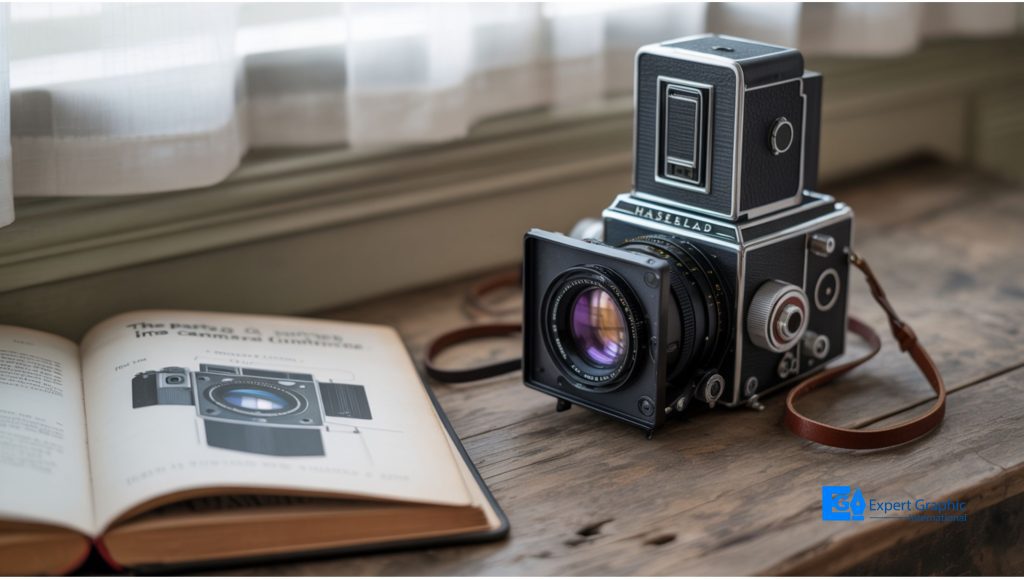
The camera body is the main housing that holds all the essential components needed to take photos – like the imaging sensor (or film), processor, shutter, buttons, LCD screen, viewfinder, internal circuitry, and battery. It connects to lenses and accessories, letting you control exposure, focus, and shooting modes.
It’s key for image quality, performance, and durability—affecting how sharp, fast, and reliable your shots are. Choose the right body, and the rest falls into place.
What is the grip on a camera used for?
The grip on a camera is used to provide a secure and comfortable hold, improve ergonomics, enhance stability, reduce camera shake, support vertical or portrait shooting, extend battery life, balance heavy lenses, and add professional handling features.
In photography, this means easier control, longer shooting time, and steadier shots. In filmmaking, a grip is a crew role that manages camera rigs, movement systems, and safety. A grip, whether accessory or role, keeps the camera steady and the shots smooth.
What is a tripod mount, and when should you use one?
A tripod mount is the attachment point letting a camera or heavy lens be securely fastened to a tripod via a 1/4‑20 threaded hole, tripod head, mounting plate or quick‑release plate, or tripod collar, delivering stability, support, and sharp images.
Use one for low light, long exposures, panoramas, macro, self‑portraits, studio or architecture work, heavy cameras or telephoto lenses, and video. It beats camera shake at slower shutter speeds, keeps framing consistent, and cuts fatigue. Lock it in for tack‑sharp results.
2. Viewing and Framing Systems
What is a viewfinder, and how does it work?
A viewfinder is the eyepiece device on a camera that lets a photographer see, frame, compose, and focus the scene the lens will capture, with exposure information. It works as an OVF (mirrors/pentaprism/pentamirror) or EVF (sensor‑fed LCD/OLED preview).
Optical viewfinder (OVF) shows the actual scene in time with no lag, great for moving subjects and bright light, but won’t preview exposure or white balance. Electronic viewfinder (EVF) shows WYSIWYG previews, adds magnification/focus aids, but uses more battery—choose stability.
What is the difference between an optical and electronic viewfinder?
A viewfinder is a camera eyepiece that lets a photographer see and frame the scene. It works as an OVF (mirrors, prism/pentaprism/pentamirror, lag‑free) or EVF (sensor feed to LCD/OLED, preview of exposure/white balance/focus aids).
An OVF works with the camera off, uses little battery, and tracks action, but won’t preview exposure or white balance. An EVF shows exposure previews and overlays, brightens low light, yet uses more battery and can lag; OVF in DSLRs, EVF in mirrorless—pick your style.
What does the LCD screen on a camera do?
The LCD screen on a camera is a flat‑panel display that previews live view, composes and reviews images/videos, navigates menus (ISO, shutter speed, aperture, white balance), shows 100% coverage, tilts/rotates, histograms/grids/warnings, controls, aids low‑light, but glare persists and uses battery.
It also works as a control hub: touchscreen menus, settings, and overlays like histograms, grids, and exposure warnings. You can zoom to check focus, use focus peaking, delete duds, and watch audio levels. Tilting or rotating screens help high or low angles and low light. Technically, liquid crystals, polarizers, and a backlight drive a pixel matrix. Use it; save battery.
What is an eye sensor in a camera?
An eye sensor in a camera is an infrared photoelectric proximity sensor near the viewfinder/eyepiece that detects your eye and automatically switches the display between the electronic viewfinder (EVF) and the LCD screen, saving battery power and speeding workflow.
When your eye approaches, it activates the viewfinder and turns off the LCD; when you move away, it switches back. This display switching conserves power and keeps you focused. Some models add Eye Sensor AF to lock focus—shoot faster, save battery.
3. Lens and Image Capture
What is a camera lens, and what types are there?
A camera lens is an optical assembly that focuses light onto sensor or film, shaping image quality, field of view, and perspective. Types are prime (fixed focal length), zoom (variable), plus standard/normal 50mm, wide‑angle, telephoto, macro, fisheye, and tilt‑shift.
Prime lenses have a fixed focal length with larger apertures, so they’re sharper, lighter, and good in low light (e.g., standard/normal 50mm, wide‑angle, telephoto, macro). Zoom lenses provide variable focal lengths and versatility, but are heavier with smaller maximum apertures. Common too: wide‑angle (landscapes, architecture); telephoto (sports, wildlife); macro (close‑ups); fisheye (distortion); tilt‑shift (correct perspective). Lenses may be interchangeable or fixed. Pick your type and make the shot.
What is a lens mount, and why do different brands use different systems?
A lens mount is the mechanical and electrical interface that attaches, aligns, and locks a lens to a camera, often bayonet‑style. Different brands use different systems due to historical design, proprietary tech, mount diameter, flange focal distance, and electronic protocols, requiring adapters.
Mounts vary by throat size, inner/outer diameter, and flange focal distance. Most still cameras use bayonet tabs and a spring pin; contacts handle autofocus and aperture. Types include screw-thread, bayonet, breech‑lock, plus C‑mount/T‑mount and PL/PV. Adapters may limit electronics. Pick the mount that fits your camera and your goals.
What is a lens mount index, and how does it help you attach a lens?
A lens mount index is an alignment mark on the lens and camera body that helps you attach a lens by matching marks, twisting until a click, ensuring a secure lock and mechanical and electrical contacts for autofocus and metering.
Indicators vary: Canon EF uses a red dot, RF a red line, EF‑S a white square, and EF‑M a white dot. Locate marks, align them, twist, and click. On APS‑C or with adapters, match the mark—line up, twist, click.
What is the lens release button, and how does it work?
The lens release button is a small front‑of‑body control near the lens mount that unlocks the lens by retracting the lock pin; press and hold, rotate (often counter‑clockwise) until a click, enabling safe detachment and secure re‑mounting.
You don’t press it to mount; align index marks, twist to lock with a click. Cap lens and body promptly to block dust.
What is aperture, and how does it affect photos?
Aperture is the adjustable opening in a camera lens that controls light reaching the sensor; it affects photos by setting exposure (brightness) and depth of field: low f‑stop (f/1.4) is brighter with blurred background; high f‑stop (f/16) is darker with sharper focus.
Use a wide aperture for portraits, low light, or fast action—more light and shorter exposure time. Use a narrow aperture for landscapes—less light but more of the scene in focus. Set the f‑stop, try a shot, and watch your photos pop.
What are zoom elements in a lens?
Zoom elements are movable groups of lens elements inside a zoom lens assembly that slide in the barrel to vary focal length, magnification, and angle of view; optical zoom uses a compensation element to keep focus on the image plane.
These movable groups let a lens replace prime lenses by providing focal length changes and angle-of-view control. Mechanisms include gears, cams, or motors. Big zooms add complexity and reduce image resolution, especially at extremes. Master your zoom, and your framing follows.
What is a condenser lens in a camera?
A condenser lens in a camera is a lens that gathers divergent light from a source and condenses it into a parallel or converging beam, directing uniform illumination onto the subject, film, or sensor to improve brightness, contrast, and resolution.
It conditions light rather than forming the image. Many use convex pairs achromatic, abbe, or aspheric. Large apertures and short focal lengths grab light efficiently. See condensers in enlargers, projectors, and microscopes; without one, things look dim light smart, shoot sharp.
What is an image sensor, and how does it capture photos?
An image sensor is a camera component that captures light with millions of tiny pixels, each acting like a photodetector. It captures photos by turning incoming light into electrical charges, then into digital signals that form a photo.
Here’s how it works: light passes through the lens and lands on the sensor. Each pixel absorbs photons, measures brightness, and builds an electrical charge. Those charges get read, converted into digital values, and processed into a clear, colorful image you can view or store.
What is a camera’s image processing engine?
A camera’s image processing engine is a specialized computing component (integrated circuit) that converts raw sensor signals into a digital image, performing demosaicing, noise reduction, color correction, contrast adjustment, and sharpening, while managing auto exposure, autofocus, and white balance.
Inside, it interpolates RGB filter data (demosaicing), applies gamma and sharpening, and coordinates exposure and focus. It outputs JPEG or RAW files. A system‑on‑a‑chip with parallel computing, this “brain” enables fast bursts, high‑res video, tracking—tune settings for better shots.
4. Controls and Buttons
What is a mode dial, and what do the different modes mean?
A mode dial is a rotary control on digital cameras selecting shooting modes and control over aperture, shutter speed, and ISO across automation levels: Auto, Scene, Program (P), Shutter Priority (S/Tv), Aperture Priority (A/Av), Manual (M), Bulb (B), Custom.
Auto handles everything. Modes mean portrait, landscape, sports, macro, night presets. Program (P) sets aperture/shutter; shift possible. Shutter Priority controls motion. Aperture Priority sets depth of field. Manual gives control. Bulb enables long exposures. Custom recalls favorites—spin dial and experiment.
What are command dials, and how do they control settings?
Command dials are physical rotating controls that control settings on cameras: shutter speed, aperture, ISO, exposure compensation, using main rear and sub front dials. They control settings by mode: Manual, Aperture Priority, Shutter Priority, Program, plus menu navigation and customization.
Manual mode maps rear to shutter speed and front to aperture. Aperture Priority changes aperture while the camera sets shutter speed. Shutter Priority sets shutter speed while the camera sets aperture. Hold exposure or ISO buttons to tweak brightness. Spin, press, create.
What is the shutter button, and how does half-pressing work?
The shutter button is the primary two-stage control that captures a photograph; half-pressing works by activating autofocus and exposure metering, locking focus and exposure, letting you recompose, then a full press releases the shutter to take the picture.
You will feel a tactile stop halfway. Pressing halfway wakes the camera and shows shutter speed and aperture in the viewfinder or top LCD. Using AF-ON can replace half-press for focus. Half-press, pause, then press smoothly to reduce camera shake.
What is a shutter speed dial, and do all cameras have one?
A shutter speed dial is a physical or virtual control that manually selects shutter duration fractions or seconds affecting exposure and motion. Not all cameras have one; many DSLRs, mirrorless, and compacts use command dials, mode selections, touchscreens, or automatic control instead.
Typical dials show speeds from 1/8000 to seconds or bulb, giving timing control. Many Fujifilm and film bodies include them; others adjust speed via command dials, mode Tv or S, or touchscreen menus. Dial your speed and tell the story.
What does the WB (white balance) button do?
The WB white balance button sets color balance by adjusting color temperature for lighting conditions. It lets you choose Auto, Daylight, Cloudy, Shade, Incandescent, Fluorescent, Flash, or Custom, correcting color casts so whites look white and colors look natural.
Press and hold WB, then rotate a command dial to pick a preset or set Kelvin directly. For tricky light, measure a neutral white or gray to create custom white balance. Use WB to remove warm or cool casts and nail color.
What are function buttons, and how can you customize them?
Function buttons are programmable controls that perform actions or run custom commands; you customize them via system settings, application preferences, or device menus to assign shortcuts, macros, or camera functions like ISO, autofocus, white balance, and exposure compensation.
Use Fn key, F Lock, BIOS or UEFI to change keyboard behavior; set shortcuts or macros. On cameras, map Custom Key per still, movie, or playback; assign or Not set buttons on body, lens, or grip to work faster.
What is meant by the button interface on a camera?
The button interface on a camera means the physical buttons and controls you use to operate the camera, adjust settings, trigger functions, and navigate menus quickly, enabling tactile control without relying on touchscreens or menu systems.
Common buttons include shutter button, mode dial, exposure compensation, ISO, white balance, menu navigation, function Fn buttons, playback controls, and a pop-up flash release. Use them for real-time adjustments, quick access to key features, and efficient shooting
5. Lighting and Flash System
What is a built-in flash, and when should you use it?
A built-in flash is a compact, pop-up light source in the camera body that fires a brief burst. You should use it for low light, fill shadows on backlit subjects, add eye catchlight, freeze motion, and when limited power suffices.
Use auto or manual pop-up modes like fill flash, red-eye reduction, slow sync, or rear‑curtain sync. Watch for harsh, direct light, red‑eye, and lens shadows. Range is short; keep subjects close. When you need softer, flexible lighting, grab external flash.
What does the flash button do on a camera?
The flash button on a camera manually pops up the built-in flash, controls an external flash, and cycles modes (Auto Flash, Fill Flash, Red‑Eye Reduction, Slow Sync, Flash Off); it opens flash settings: flash exposure compensation, flash power, and sync.
Use it in low light or backlit scenes to brighten subjects, fill shadows, and curb shake‑blur. Note charging delays and burst limits. Watch for lens shadows at wide angles and white circular spots from dust. Keep the flash down when unused.
What is a hot shoe or flash shoe, and what accessories can you attach to it?
A hot shoe (flash shoe) is a metal mounting point on the top of a camera with electrical contacts for communication/synchronization (unlike a cold shoe). Attach external flashes, microphones, LED lights, electronic viewfinders, external monitors, spirit levels, and wireless triggers/adapters.
Many use proprietary contacts and TTL features; ISO 518:2006 sets dimensions, not voltages. Most gear fires via the center pin connector. Slide accessories in and tighten. Expect two-way data/power exchange. Check brand compatibility—then mount up and nail the shot.
What is a flash sync port, and why do professionals use it?
A flash sync port (PC sync port) is an electrical connection on a camera that synchronizes an external flash or studio strobe with the shutter; professionals use it for off-camera flash, creative control, lighting, reduced shadows, timing, and image quality.
Uses a Prontor-Compur sync cable or a sync cord on pro DSLRs and film cameras. When the shutter opens, the circuit closes; flash fires. Pros connect studio strobes. Cords loosen; hot-shoe adapters or wireless remotes help. Stay synced, light like a pro.
What is red-eye reduction in a camera?
Red-eye reduction is a camera flash feature that emits a bright pre-flash or red-eye reduction lamp before the main flash, constricting pupils to cut retina reflection, reducing the red-eye effect in low light and producing natural-looking portraits.
Pre-flash or lamp fires; pupils shrink; main flash exposes; light reflects less. Effectiveness improves when subjects look at the lamp, but blinking occurs. Alternatives: use an external flash, place it off-axis, bounce light. Keep your eyes on the lamp for natural portraits.
6. Autofocus and Exposure System
What is an autofocus system, and how does it work?
An autofocus (AF) system is a camera feature that automatically adjusts the lens for sharp subject focus. It works via detection and rectification: AF sensors, processor, and lens drive use contrast or phase detection, often hybrid to lock focus and track motion.
Contrast detection fine-tunes by maximizing image contrast; phase detection calculates direction and distance fast for moving subjects; hybrid blends both. Choose AF-S for stills, AF-C for action, or AF-A to auto-switch. Think crisp portraits or sharp sports shots.
What is a focusing screen, and how is it used in DSLRs?
A focusing screen is a flat, translucent ground-glass/Fresnel/plastic plate in a DSLR, positioned above the mirror and below the pentaprism/pentamirror, that displays the lens image in the viewfinder with grids/AF-point LCD overlays and microprism/split-image aids for composing/focusing.
In use, light enters the lens, reflects off the mirror, forms on the screen, then the pentaprism routes it to your eye. What you see matches sensor focus. Many DSLRs accept swappable grids or precision matte screens. Nail focus, frame clean, shoot confidently.
What are reflex and relay mirrors in a DSLR camera?
In a DSLR camera, a reflex mirror is a movable 45‑degree mirror behind the lens that reflects light into the pentaprism/pentamirror and optical viewfinder; a relay (secondary) mirror, behind it, redirects light downward to phase‑detection autofocus and metering sensors.
During exposure, the reflex mirror flips up, blacking out the viewfinder, and light reaches the image sensor. A semi‑transparent center lets the relay sub‑mirror send light to AF and metering modules. Some texts call the pentaprism a relay element.
What is ISO, and how does it affect image quality?
ISO is a camera setting that controls the image sensor’s sensitivity to light, defined by the International Organization for Standardization. Low ISO (100–200) produces cleaner, sharper images with minimal noise, while high ISO (1600+) increases brightness but introduces grain, reduces sharpness, and narrows dynamic range.
In practice, raising ISO helps in low light or fast action, but the trade-off is digital noise—both luminance and chrominance—that can mask fine detail. Keep ISO low for clarity, high for flexibility, and always balance with aperture and shutter speed.
7. Ports and Connectivity
What are camera communication ports?
Camera communication ports are hardware and network ports that let a camera send and receive data, power, and commands. Hardware ports include Ethernet/RJ45, PoE 802.3af, RS232, Sync (timecode, genlock, shutter trigger), GIG-E 1000BASE-T, and DC input. Network ports include HTTP 80, HTTPS 443, RTSP 554, FTP 21, TCP 49050, ports 8000–8080, and ONVIF endpoints for video, control, and file transfer.
Ethernet connects; PoE powers; RS232 controls; Sync locks signals; GIG-E moves metadata. HTTP/HTTPS open interfaces; RTSP streams video; FTP moves files; custom ports manage firmware. For remote viewing, port forwarding maps router IPs. Configure wisely—your camera’s lifeline is its ports.
What is a USB port used for in a camera?
A USB port in a camera is used for plug-and-play image/video transfer, power delivery/charging, webcam streaming with audio, tethered remote control (autofocus, zoom, exposure), firmware updates, and accessory/backup links to computers via USB-C or USB 2.0 using Mass Storage or MTP.
Context reinforcements: digital signals for display, storage, streaming; plug-and-play connectivity; tethered shooting and control; audio via microphones; USB-C power delivery or power banks; Mini/Micro-USB legacy; Mass Storage/Auto/MTP modes; video conferencing, live streaming, content creation, security monitoring.
What is an HDMI port on a camera, and why is it important?
An HDMI port on a camera is a digital interface that transmits uncompressed high-quality video and audio over one cable to external monitors, recorders, or computers; it’s key for clean HDMI output, real-time monitoring, live streaming, and external recording.
Context reinforcements: high-definition video (HD, 4K, 8K), clean HDMI output to external recorders via capture cards, real-time monitoring on monitors, live streaming, longer takes that bypass 30-minute limits, and connector types—Standard (Type-A), Mini (Type-C), Micro (Type-D)—using standardized cables. Plug in, create.
What are audio ports on a camera (microphone input and headphone output)?
Audio ports on a camera (microphone input and headphone output) are physical connectors for audio recording and monitoring. Microphone input (3.5mm or XLR, balanced, 48V phantom) captures noise-reduced sound. Headphone output (3.5mm/line out) provides monitoring to detect distortion and levels.
Context reinforcements: microphone input via 3.5mm jack or XLR with phantom power enables balanced audio and noise-reduced recording. Headphone output (line out) supports monitoring to check levels and distortion; set mic/line level and hear it right, record it right.
What is a memory card slot, and why do some cameras have two?
A memory card slot is a physical interface where a removable card (SD/CFexpress) stores photos, videos, and data. Some cameras have two to enable redundancy (backup), increased storage (overflow), and file separation (RAW+JPEG or video+stills) for reliable workflows.
Think “memory card slot on a camera” as the primary storage medium. Dual card slots support backup mode (in-camera redundancy), overflow mode (seamless switching), and file separation (RAW + JPEG, video + stills), boosting workflow efficiency and pro reliability—set it and shoot.
What is a battery compartment, and how do DC-in ports power a camera?
A battery compartment is a dedicated, sealed chamber that secures a removable, rechargeable battery and delivers electrical contact. DC-in ports power a camera by accepting adapter-converted DC from AC, providing continuous power, bypassing the internal battery, and sometimes charging it.
Context reinforcements: bottom/side latch-door battery compartment, secure terminals, quick swaps. DC-IN port (often rear) links power brick or AC adapter via 2-pin plug, supplying uninterrupted DC for studio work, timelapses, and live streaming. Use a dummy battery or USB-C.
What is a remote control sensor, and how does it work?
A remote control sensor is an infrared (IR) receiver on a camera; it works by detecting IR LED light pulses, converting them to electronic signals, and decoding commands shutter release, start/stop video, settings requiring line-of-sight within 5–8 meters (16–26 feet).
Context reinforcements: infrared receiver, binary code encoding, IR LED transmission, line-of-sight communication, 5–8 meters range, reduce camera shake, self-portraits, long exposures; alternatives include RF remotes, Bluetooth app control, and Wi-Fi remote control.
What does the indicator lamp on a camera show?
The indicator lamp on a camera shows operational status via colors/patterns: power (solid green/blue/orange), recording (solid/blinking red/orange), battery/charging (yellow/green; low-battery blinking red), focus/exposure (solid/blinking green), connectivity/firmware (solid/blinking blue), warnings/errors (blinking red/orange), or sleep/standby (off).
Context reinforcements: the indicator lamp is a visual status indicator. Solid green means ready/focus locked; blinking green warns blur/exposure. Blinking orange shows flash charging; solid/blinking blue marks connectivity/firmware. Blinking red flags lens/memory errors; solid red/orange means recording. Some security cameras show a faint red infrared glow for night vision.
8. Supporting Components
What is a pentaprism in a camera?
A pentaprism in a camera is a five-sided optical prism in DSLR/SLR viewfinders that redirects light from the reflex mirror and focusing screen to the eyepiece via two reflections and a roof-pentaprism, yielding 90°-deflected, right-side-up, laterally correct images better than pentamirrors.
It preserves handedness, uses mirror-coated faces and antireflection coatings, and enables a compact, eye-level optical viewfinder. During exposure, the mirror flips up, blocking the prism; afterward, you still see a bright, true view. Know your gear, and nail the composition.
What are electronic contacts between a camera body and lens?
Electronic contacts between a camera body and lens are spring-tensioned metal pins and pads on the lens mount interface that mate to form an electrical circuit, delivering power and data for autofocus, aperture control, image stabilization, metadata, and optical correction.
These CPU/electrical contacts support two-way communication—camera master, lens slave—often via SPI (e.g., Canon DCL/DLC). They enable power delivery, autofocus motor control, aperture control, image stabilization, EXIF metadata, and corrective data. Keep contacts clean; dirty pins can trigger “F–” errors.
What is a buffer in a camera, and why does it matter for burst shooting?
A buffer in a camera is temporary high-speed memory that stores image data before writing to a memory card; it matters for burst shooting because buffer size and card write speed sustain maximum FPS, prevent slowdowns, and extend continuous capture.
During bursts, the sensor pushes files into the buffer while the processor writes older frames to the card. Large RAW files fill it fast. When full, frame rate tanks. Faster cards clear buffers quicker. Pair big buffers with fast cards to keep action flowing.
What are the main electronic components inside a camera?
The main electronic components inside a camera are: image sensor (CCD/CMOS), image processor/ISP, buffer, autofocus system, lens electronics and contacts, shutter controls, aperture control, display/EVF electronics, memory card interface, power management/battery, flash electronics, and user-interface/control circuitry.
These components convert light to signals, process RAW to JPEG, stabilize and focus via actuators, drive the shutter and aperture, display live view, buffer bursts, write to cards, power everything, sync flash, and read buttons and dials. Together, they capture, process, and store.
Conclusion
Every part of a camera does a specific job that shapes how your photos look. The camera body and external parts house the sensor, processor, and controls. The viewing and framing systems let you compose shots with a viewfinder, LCD screen, or eye sensor. The lens and image capture system directs light, sets aperture, and works with the image processing engine to create digital photos. The controls and buttons handle exposure and focus, while the lighting and flash system manages brightness. The autofocus and exposure system keeps images sharp, and ports and connectivity expand power, storage, and communication. Supporting components like a pentaprism, buffer, and electronic contacts keep everything running smoothly.