
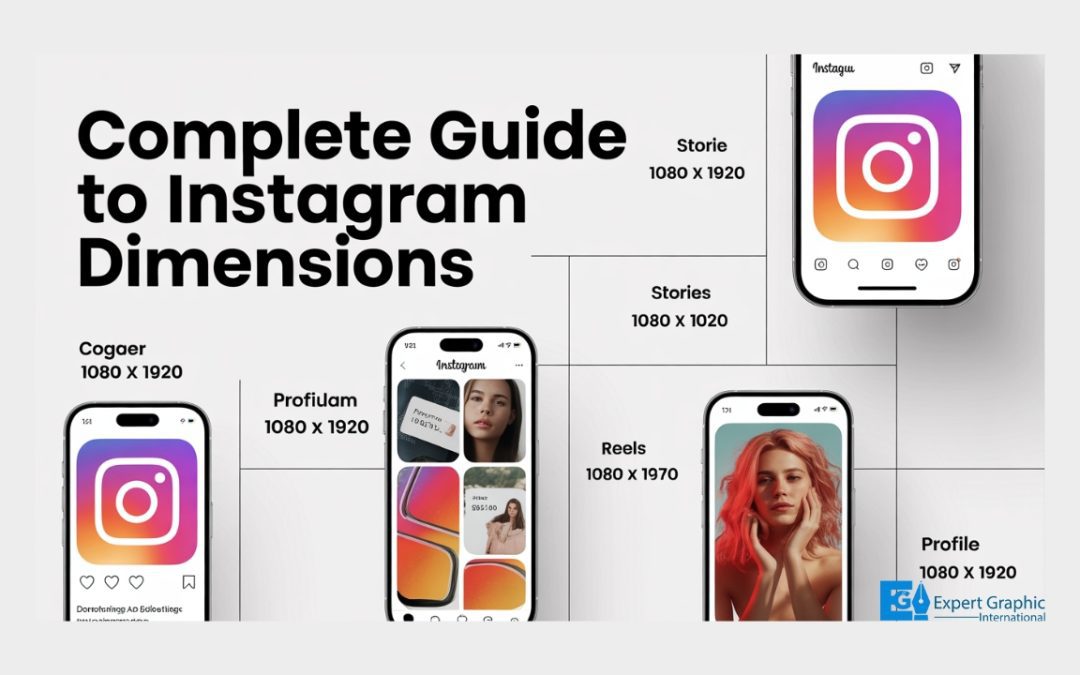
When it comes to Instagram, the right image dimensions matter for perfect quality. For feed posts, Square posts should be 1080 x 1080 px, Portrait posts 1080 x 1350 px, and Landscape posts 1080 x 566 px. Stories and Reels are best at 1080 x 1920 px. For carousel posts, use the same dimensions as the selected post format. Profile pictures should be 320 x 320 px, but they appear in a circular format.
Instagram also supports new post dimensions for 2026, including a 3:4 aspect ratio for Feed posts. Instagram Reels differ from regular posts by their full-screen vertical orientation, with a 9:16 ratio. Getting your aspect ratio right helps prevent unwanted cropping and maintains image quality.
Choosing the right resolution and file type like JPG, PNG, and MP4 ensures your posts look sharp and professional. To wrap it up, size matters, and picking the correct dimensions makes all the difference for better engagement and quality.
What are the recommended dimensions for an Instagram post?
The recommended dimensions for an Instagram post depend on the content format being used, as Meta recommends specific sizes to maintain image quality and maximize screen space. While 1080 x 1350 pixels (Portrait) often takes the most vertical screen space in the feed, standard sizes are available for all post types:
- Square Posts: 1080 x 1080 pixels (1:1 aspect ratio).
- Portrait Posts: 1080 x 1350 pixels (4:5 aspect ratio).
- Landscape Posts: 1080 x 566 pixels (1.91:1 aspect ratio).
- Stories and Reels: 1080 x 1920 pixels (9:16 aspect ratio).
- Carousel Posts: These should match the dimensions of the post type selected (Square, Portrait, or Landscape).
- Profile Picture: 320 x 320 pixels (though it displays in a circular format).
What size is an Instagram post in pixels?
The size of an Instagram post in pixels varies significantly based on the format (square, portrait, or landscape), but content is ideally optimized for a 1080-pixel width. The most commonly used dimensions for feed posts, Stories, and Reels are:
- Square Feed Post: 1080 x 1080 px
- Portrait/Vertical Feed Post: 1080 x 1350 px
- Landscape Feed Post: 1080 x 566 px
- Stories and Reels: 1080 x 1920 px
- Profile Picture: 320 x 320 px
Instagram supports content with a width between 320 and 1080 pixels. If an image is shared at a higher resolution, it is automatically sized down to a maximum width of 1080 pixels, provided its aspect ratio is between 1.91:1 and 4:5 (1080 pixels wide with a height between 566 and 1350 pixels).
What are the new Instagram post dimensions for 2026?
The recommended new Instagram post dimensions for 2026 encompass several optimized formats tailored for optimal viewing on the feed, notably supporting the 3:4 aspect ratio for Feed posts to reduce unwanted cropping and unnecessary resizing on the grid.
The specific dimensions and aspect ratios for various types of content on the Instagram platform are as follows:
- Square Posts: 1080 x 1080 px (1:1 aspect ratio).
- Vertical/Portrait Posts: 1080 x 1350 px (4:5 aspect ratio).
- Tall Posts: 1080 x 1440 px (3:4 aspect ratio), which is now fully supported for Feed uploads and matches the preview size seen for Reels on the main feed.
- Horizontal/Landscape Posts: 1080 x 566 px (1.91:1 aspect ratio).
- Reels, Stories, Highlights, and Reels Covers: Full vertical format of 1080 x 1920 px (9:16 aspect ratio).
How do Instagram Reels dimensions differ from an Instagram post?
The dimensions of Instagram Reels differ from a traditional Instagram post primarily in their aspect ratio and vertical, full-screen orientation. Instagram Reels, which now serve as the platform’s standard format for video posts, follow the same vertical orientation as Stories.
The best and maximum supported dimensions for Instagram Reels are 1080 x 1920 pixels, which translates to a standard 9:16 aspect ratio. This contrasts with traditional feed posts (photos or short videos), which are typically square (1:1) or portrait (4:5).
Crucially, although the total video file should be 9:16, users viewing the content within the main Instagram feed (rather than in the full-screen Reels viewer) often see it displayed only in a 4:5 aspect ratio. This 4:5 area is considered the safest place to position important visual elements or on-screen text to ensure they are not cropped when users scroll through their feed.
How does aspect ratio influence the quality of an Instagram post?
Aspect ratio influences the quality of an Instagram post by determining how the platform processes the image, specifically regarding resolution preservation, cropping, and overall professionalism.
Technical compliance with Instagram’s supported aspect ratios is critical, as the platform automatically adjusts or crops images that fall outside the acceptable range (1.91:1 to 3:4, or a width of 1080 pixels with a height between 566 and 1440 pixels). Failure to meet these requirements can negatively impact the visual integrity and performance of the post in the following key ways:
- Preservation of Resolution: If the photo’s aspect ratio is supported and the width is between 320 and 1080 pixels, Instagram keeps the photo at its original resolution. Using ideal sizes, such as 1080 x 1080 pixels for the standard 1:1 square ratio, ensures images look crisp and professional across all devices.
- Prevention of Cropping: If the aspect ratio of the photo is not supported, the image will be cropped to fit a supported ratio, often altering the creator’s intended composition and degrading the visual quality.
- Control over Resizing: Instagram enforces strict width boundaries; photos with lower resolutions are enlarged to 320 pixels, and those with higher resolutions are sized down to 1080 pixels. Using the correct ratio ensures images are not unnecessarily scaled, maintaining visual consistency.
- Improved Engagement and Reach: For creators, utilizing consistent, high-quality visuals achieved through correct sizing and ratio adherence can lead directly to better audience engagement and increased reach.
What aspect ratio is best for an Instagram post?
The aspect ratio generally considered best for an Instagram feed post is the vertical (portrait) ratio of 4:5, although the platform supports a range from 1.91:1 to 3:4.
The 4:5 ratio is favored because portrait posts maximize vertical space in the feed, making them more noticeable and filling more of the user’s screen compared to square posts. This often results in higher engagement, making them ideal for detailed content such as portraits, food photography, or infographics.
Technically, Instagram requires that a shared photo have an aspect ratio between 1.91:1 and 3:4. For optimal resolution, photos should maintain a width of 1080 pixels, with the corresponding height falling between 566 pixels (for the 1.91:1 minimum) and 1440 pixels (for the 3:4 maximum). If an image falls outside of this supported range, it will automatically be cropped by the platform to fit the supported ratio.
How does resolution impact the appearance of an Instagram post?
Resolution significantly impacts the appearance of an Instagram post, as the dimensions and quality of uploaded images are crucial factors determining how the content looks on the platform. Uploading high-resolution images is essential because low-quality images can appear pixelated, stretched, or severely cropped, resulting in an unprofessional appearance with unwanted distortions. To achieve the perfect fit and look without cuts, users must understand the specific photo requirements and ensure their captured images whether from a dedicated camera or a high-megapixel smartphone meet the necessary dimensions.
Instagram applies specific automatic resizing and cropping rules based on the resolution and aspect ratio of the uploaded photo:
- Instagram keeps the photo at its original resolution if the width is between 320 and 1080 pixels, provided the aspect ratio is supported (between 1.91:1 and 3:4, or a 1080-pixel width with a height between 566 and 1440 pixels).
- If a photo is shared at a resolution higher than the supported maximum, Instagram will size it down to a width of 1080 pixels.
- If a photo is shared at a lower resolution, Instagram will enlarge it to a minimum width of 320 pixels, potentially causing visible pixelation.
- If the aspect ratio of the photo is not supported by the platform, it will be automatically cropped to fit a supported ratio, often resulting in loss of content.
What file type is best for an Instagram post?
The best file types for an Instagram post depend on whether the content is an image or a video, prioritizing standard, high-quality formats. While Instagram ensures photos are uploaded at the best possible quality resolution (up to a width of 1080 pixels) regardless of layout (square, landscape, or vertical), specific file types are recommended for optimal compatibility and performance.
The standard and recommended file formats are:
- For Images and graphics, the traditional standard formats include JPG, GIF, and PNG files.
- For Videos, the recommended file types are .MP4 and .MOV.
What are the optimal dimensions for Instagram Reels and Stories?
The optimal dimensions for Instagram Reels and Stories are 1080 x 1920 pixels. Both formats utilize the same vertical size and a 9:16 aspect ratio, which allows the content (both photos and videos) to fill the screen completely. This standard format applies to all vertical video posts on the platform, following the platform’s consolidation of video content under the Reels display.
What is the best canvas size for an Instagram post?
The best canvas sizes for an Instagram post depend on the desired orientation, although it is generally recommended to keep the image 1080 pixels wide for optimal display. Instagram allows you to upload square, portrait, and landscape orientations, and the ideal dimensions for each are:
- Square Posts: The ideal size for square posts is 1080px by 1080px, maintaining a 1:1 aspect ratio.
- Portrait Posts: Portrait images look best when sized at 1080px wide by 1350px high.
- Landscape Posts: Landscape images are best displayed at 1080px wide by 566px high.
How do profile image sizes relate to an Instagram post?
Profile image sizes relate to an Instagram post by serving as the smallest, most unique visual asset, adhering to specific dimension and cropping rules that differ significantly from those for standard shared posts.
Profile photos are unique because they are the smallest images on the platform. Instagram generally recommends uploading profile images at 320px by 320px with a 1:1 aspect ratio, although they are ultimately displayed at 110px by 110px. A critical difference is that profile photos are displayed in a circular frame, which means the corners are cropped out, requiring the focal point of the subject to be centered to ensure full visibility.
In contrast, standard shared posts have broader sizing allowances. Instagram keeps photos at their original resolution if the width is between 320 and 1080 pixels, provided the aspect ratio falls between 1.91:1 and 3:4 (which translates to a width of 1080 pixels with a height between 566 and 1440 pixels). If a shared photo is uploaded at a lower resolution, it is enlarged up to a width of 320 pixels, and if it is uploaded at a higher resolution, it is sized down to a width of 1080 pixels. Any shared photo whose aspect ratio is not supported will be automatically cropped to fit the required ratio, emphasizing the importance of correctly sizing content to give posts the opportunity to shine.
What is the ideal size for an Instagram profile picture?
The ideal size for an Instagram profile picture is 320 x 320 pixels at a 1:1 aspect ratio, which creates a perfect square. While Instagram profile photos are typically displayed at a smaller dimension, such as 110 x 100 pixels, it is essential to upload an image that is at least 320 x 320 pixels because this is the dimension at which Instagram stores the image file for optimal quality.
Conclusion
Understanding Instagram’s post dimensions is essential for creating visually appealing content that stands out. Whether it’s square, portrait, or landscape posts, using the right size ensures your images appear crisp and professional. Instagram supports different ratios, like 1:1 for square posts, 4:5 for portrait posts, and 1.91:1 for landscape posts. For videos, Instagram Reels and Stories require a 9:16 ratio to fill the screen.
Keep in mind, using the correct aspect ratio and resolution prevents unwanted cropping and enhances the quality of your posts. Profile pictures should be at least 320 x 320 pixels for optimal clarity. Always upload images in recommended formats like JPG or PNG to maintain the best quality.
Now that you know the optimal dimensions for each type of post, it’s time to create some eye-catching content. Keep your visuals on point to boost engagement and leave a lasting impression on your audience!