
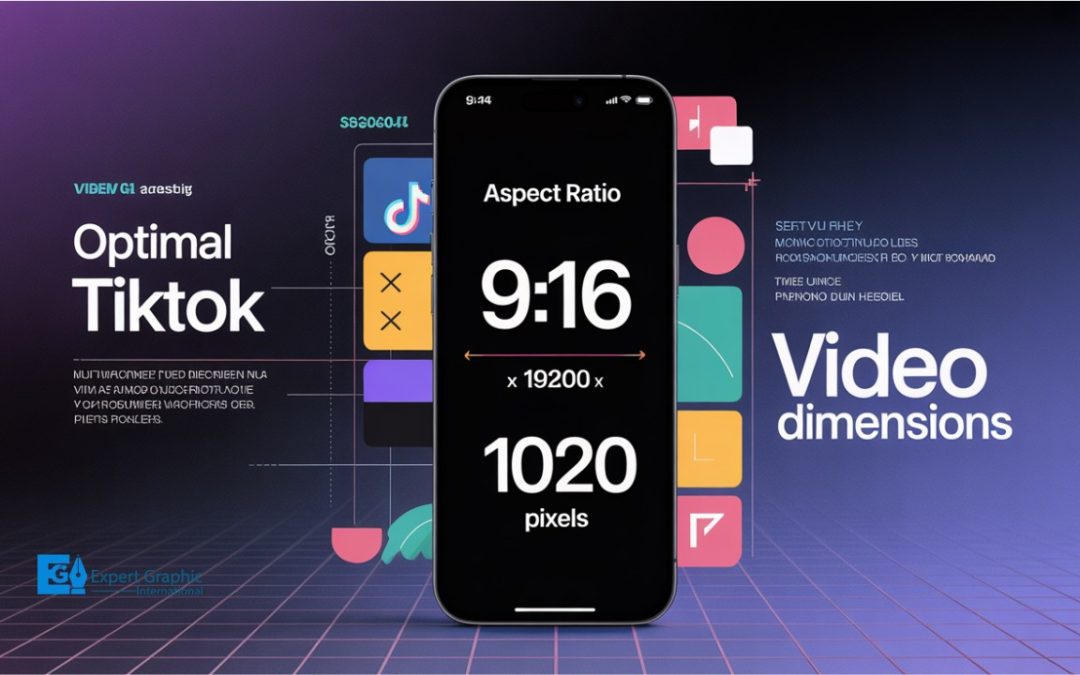
When creating TikTok videos, it’s crucial to understand the ideal video dimensions, aspect ratios, and formats for optimal performance. The most common and recommended aspect ratio is 9:16 (vertical), perfect for filling smartphone screens. The ideal resolution is 1080 × 1920 pixels, ensuring sharp, high-quality visuals. TikTok supports additional aspect ratios such as 1:1 (square) and 16:9 (horizontal), though 9:16 remains the most effective. For file formats, MP4 and MOV are the top choices, offering excellent quality and file size balance. TikTok’s video length can range from a few seconds up to 10 minutes, depending on the app version. When exporting from editing software, settings should match TikTok’s requirements, including the 1080 × 1920 resolution. A high-quality profile picture (at least 200 × 200 pixels) helps boost visibility. Stick to these guidelines for creating TikTok content that grabs attention and engages viewers!
What Is the Correct TikTok Aspect Ratio?
The correct TikTok aspect ratio is ideally 9:16, which is a vertical (portrait) orientation. This ratio is considered ideal and is the most commonly used because it perfectly fits and centers content for mobile viewing on standard smartphone screens, shaping how content fills the display.
While 9:16 is recommended, TikTok supports several other aspect ratios that determine the proportion of the video’s width versus its height. These supported ratios are:
- 9:16 (Vertical): The recommended and ideal ratio, typically using a resolution of 1080 pixels by 1920 pixels (though TikTok accepts a minimum of 720 pixels by 1280 pixels).
- 1:1 (Square): A supported ratio where the width and height are equal.
- 16:9 (Horizontal/Landscape): A supported ratio for content shot in a landscape orientation.
What are the optimal TikTok video dimensions?
The optimal TikTok video dimensions are 1080 x 1920 pixels, corresponding to a vertical aspect ratio of 9:16. This recommended resolution ensures the highest visual quality, providing an optimal viewing experience by filling the entire screen of standard smartphone devices without appearing pixelated or grainy. While 1080 x 1920 is the best practice, TikTok accepts a minimum acceptable resolution of 720 x 1280 pixels (720p in 9:16).
What is the TikTok video size in pixels?
The TikTok video size in pixels is recommended to be 1080 pixels by 1920 pixels. This resolution, often referred to as 1080p, is the current standard and continues to be the ideal dimension because it utilizes the vertical 9:16 aspect ratio, providing the maximum detail and crispness necessary to fill the entire screen on most mobile devices, which improves viewer engagement. Although 1080×1920 is highly recommended, TikTok also supports lower resolutions and different dimensions, accepting a minimum resolution of 720 pixels by 1280 pixels, though content at this size may look less sharp.
What should the TikTok canvas size be?
The recommended TikTok canvas size and resolution is 1080 x 1920 pixels, which utilizes the standard portrait dimension of most smartphones. This full HD (1080p) resolution is recommended because it provides high-quality video and corresponds to a vertical 9:16 aspect ratio, which fits a standard smartphone screen perfectly. While 1080 x 1920 pixels is the ideal dimension for polished and professional-looking content, TikTok accepts a minimum resolution of 720 x 1280 pixels (720p).
What Is the Best Resolution for a TikTok Video?
The best resolution for a TikTok video is 1080 x 1920 pixels, corresponding to a 9:16 aspect ratio. This recommended 1080p resolution provides the highest quality and optimal visual experience, filling the whole screen on most mobile devices without appearing pixelated or grainy. While TikTok accepts a minimum resolution of 720 x 1280 pixels (720p), starting with the highest quality possible is strongly recommended because the platform compresses videos during the upload process.
What are the recommended TikTok video specifications?
The recommended TikTok video specifications emphasize a vertical orientation designed to fit standard smartphone screens. The ideal aspect ratio is 9:16, and the recommended resolution is 1080×1920 pixels (1080p), which ensures content appears crisp. While this high resolution is recommended for optimal quality, TikTok accepts lower dimensions and resolutions, with a minimum accepted resolution of 720×1280 pixels.
What is the best video format for TikTok?
The best video formats for TikTok are MP4 and MOV, which are the two principal formats widely supported across both iOS and Android devices. Choosing these formats is essential because they typically provide the best results, ensuring crisp video quality while maintaining manageable file sizes. While TikTok also accepts other formats, including MPEG, AVI, and 3GP (sometimes used for in-feed ads), MP4 and MOV are highly recommended for general content creation. Furthermore, to provide the optimal visual experience and highest resolution, videos should adhere to specific dimensions: 1080 x 1920 pixels resolution and a 9:16 aspect ratio, ensuring the content fills the whole screen on most mobile devices without appearing pixelated or grainy.
What is the maximum TikTok video length?
The maximum TikTok video length for standard, non-Live content is generally 10 minutes, although this limit is highly dependent on the version of the application and the creation method.
Currently, videos can range from three seconds up to 10 minutes. If a user records a video directly within an older app version, the limit may be restricted to three minutes, but newer versions typically allow 10-minute recordings or uploads of content recorded outside the app. If a user chooses a sound before recording or uploading the video, the content length will be restricted to the same length as the sound. While some reports suggest varying limits up to 30 minutes, and others project a potential future maximum of one hour for uploaded content in 2025, the 10-minute mark remains the primary standard maximum for general user content as of mid-2024.
How Should Editing Software Handle TikTok Video Exports?
Editing software should handle TikTok video exports by configuring output settings to meet the platform’s vertical orientation requirements and device-specific file size constraints. Specifically, the video must use a frame size of 1080 x 1920 pixels, resulting in a vertical resolution and a 9:16 aspect ratio.
Key considerations and limits that must be addressed during the export process include:
- File Size Management: While there is no lower limit, maximum file sizes vary significantly by the device used for uploading. These limits are 72 MB for Android, 287 MB for iOS, and 500 MB for desktop uploads. Editors should be mindful of the restrictive Android limit and may need to adjust the Target and Maximum Bitrate settings to ensure the file remains under 72 MB.
- Watermark Removal: When exporting from integrated apps or desktop editors, users should ensure they select the option to share the video without the editing software’s watermark. For example, selecting “Save and share to TikTok without CapCut watermark” is necessary to avoid branding the final video.
What Is the Best Way to Format Videos for TikTok?
The best way to format videos for TikTok is by utilizing the vertical, portrait orientation. This format is the most recommended choice for the vast majority of content because it is optimized for vertical viewing, filling the entire screen of mobile devices and providing a natural, full-screen experience that improves viewer engagement. The current recommended resolution standard for these vertical videos is 1080 x 1920 pixels. When adjusting the video dimensions, ensure you drag and scale the content to keep your subjects clearly in the frame.
How do you apply the TikTok format in Premiere Pro?
Applying the TikTok format in Premiere Pro involves setting up a vertical 9:16 sequence, which typically uses a 1080×1920 resolution. Unlike standard horizontal video, this format requires reversing the width and height dimensions in your sequence settings.
To set up the vertical sequence for TikTok in Premiere Pro, especially in older versions (PPCC 2018-2014), follow these initial steps:
- Navigate to File > New > Sequence.
- In the New Sequence window, go to the Settings tab.
- Manually enter the Frame Size dimensions: 1080 for the Width and 1920 for the Height to achieve the required 9:16 vertical aspect ratio.
- Ensure the Frame Rate matches your source footage (commonly 30 or 60 FPS).
When exporting your video for final output, ensure the following definitive specifications are used:
- Frame Size: 1080×1920
- Aspect/Pixel Ratio: Square Pixels (1.0)
- Frame Rate: 30 or 60 FPS
- Field Order: Progressive
- Render Settings: Enable both Render at Maximum Depth and Use Maximum Render Quality.
Should you use .mov or .mp4 for TikTok uploads?
TikTok supports both .MOV and .MP4 files for uploads; MP4 (MPEG-4 Part 14) is the generally preferred and widely recommended format. MP4 is favored because it provides an excellent balance between video quality and file size, resulting in smaller file sizes and faster loading times. Since TikTok content is primarily viewed on mobile devices rather than desktop, any slight quality differences between MOV and MP4 are practically unnoticeable, making MP4 the most practical choice for most users. MP4 is also appreciated for its compatibility with many different editing tools.
What Are Other Important TikTok Image Dimensions?
Other important TikTok image dimensions and aspect ratios primarily relate to video content and profile images, ensuring optimal display across the mobile-first platform. These key formats are:
- Ideal Vertical Aspect Ratio (9:16): This is the most recommended and commonly used format for both general videos and advertisements. The 9:16 ratio takes full advantage of TikTok’s vertical screen space, aligning with typical user behavior for full-screen viewing.
- Alternative Video Aspect Ratios (1:1 and 16:9): While the 9:16 vertical format is preferred, recommended aspect ratios for TikTok ads also include 1:1 (square) and 16:9 (horizontal). If videos are posted using dimensions other than 9:16, the platform may add black bars to the top and bottom of the content to achieve a full-screen appearance.
- Profile Image: All users have the option to upload a profile image to their accounts. This image dimension serves as a crucial opportunity for businesses to showcase their branding, personality, or highlight a specific marketing campaign.
What are the dimensions for a TikTok cover photo?
The dimensions for a TikTok cover photo are determined by the aspect ratio of the vertical video itself. The ideal and best aspect ratio for vertical TikTok videos is 9:16. While other aspect ratios, such as 16:9 and 1:1, are also supported, the platform may add black bars to the top and bottom of videos not conforming to the 9:16 ratio to ensure they appear full-screen.
What is the correct TikTok profile picture size for 2026?
The correct TikTok profile picture size for 2026, based on current optimal standards and future-proofing recommendations, should be at least 200 x 200 pixels for optimal clarity, visual appeal, and recognition. Although the absolute minimum size required for upload is 20×20 pixels, uploading a higher quality photo is strongly recommended to future-proof the image. Users should also note that the profile photo will not be visible on the profile once a profile video is set.