
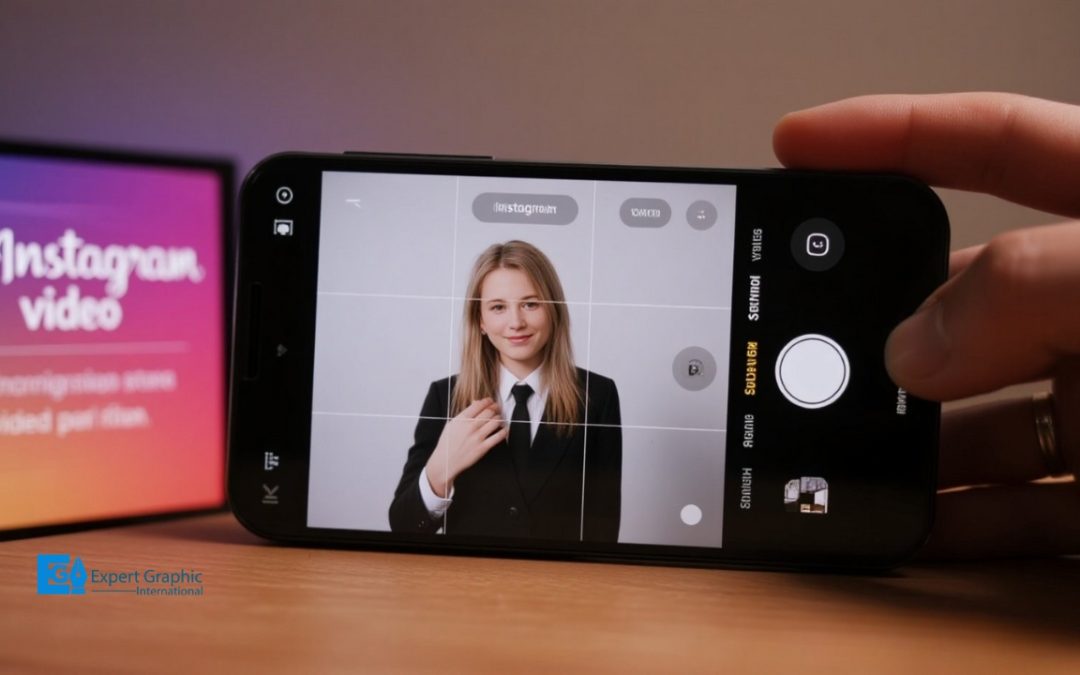
Getting your video dimensions right makes a huge difference on Instagram. Reels and Stories shine at 1080 x 1920 pixels, filling the whole smartphone screen with a standard 9:16 aspect ratio.
The platform handles different shapes depending on where you post. Full-screen content uses that tall 9:16 look, while the main feed supports portrait (4:5), square (1:1), and landscape (16:9) cuts. Vertical videos specifically need 1080 x 1920 pixels to maximize visibility.
Feed posts look best as portraits at 1080 x 1350 pixels, though square clips stick to 1080 x 1080 and landscape uses 1080 x 566 pixels. For the file itself, the .MP4 format with H.264 codec and AAC audio gives you the crispest quality. Following these tech specs prevents Instagram from compressing your work until it looks blurry.
Stories work in 15-second chunks at 9:16, whereas Instagram Live prefers a lighter 720 x 1280 resolution. Lastly, “Safe Zones” keep your text and action away from the edges so icons don’t block the view.
Stick to these numbers to ensure your content looks professional and keeps viewers watching.
What are the video dimensions for Instagram Reels and Stories?
The video dimensions for Instagram Reels and Stories are ideally 1080 x 1920 pixels (1080p wide by 1920p tall). This specific resolution is required for full-screen experiences and utilizes the full-screen size of today’s smartphones, corresponding to the standard 9:16 aspect ratio.
What is the aspect ratio for an Instagram video?
The aspect ratio for an Instagram video varies depending on where the video is intended to be displayed on the platform.
For full-screen experiences including Instagram Stories, Instagram Reels, IGTV, Instagram Live, and vertical Instagram Carousel ads the ideal aspect ratio is 9:16. This tall format typically corresponds to a resolution of 1080 x 1920 pixels.
Standard Instagram feed videos offer more flexibility, supporting multiple aspect ratios:
- Portrait (Vertical/Tall): 4:5 (recommended for maximum screen real estate in the feed), with a typical resolution of 1080 x 1350 pixels.
- Square: 1:1 (a classic standard), with a resolution of 1080 x 1080 pixels.
- Landscape: 16:9, which typically uses 1080 x 566 pixels.
What is the optimal resolution for an Instagram video?
The optimal resolution for an Instagram video depends on where the content is displayed on the platform, although the standard ideal size for full-screen vertical content is 1080 x 1920 pixels.
The optimal resolutions for posting video content are detailed below:
- Full-Screen Vertical Videos (Reels, Stories, and IGTV): The optimal resolution is 1080 x 1920 pixels, adhering to a 9:16 aspect ratio, which ensures the video displays properly on mobile phones.
- Regular Feed Videos: Videos posted to the standard Instagram feed typically look best at 1080 x 1350 pixels.
While these specific dimensions are recommended, Instagram’s internal technology can properly shrink videos if the dimensions posted slightly exceed those of a standard smartphone screen.
What are the dimensions for a vertical Instagram video?
The dimensions for a vertical Instagram video are 1080 x 1920 pixels, which is the recommended size for full-screen vertical content, including Stories and Reels. This ideal size corresponds to a 9:16 aspect ratio, designed to completely fill the average mobile user’s screen, maximizing the impact and visibility of short-form video content like Reels.
What is the video size for an Instagram feed post?
The video size for an Instagram feed post varies depending on the aspect ratio chosen, but the most preferred dimension is the portrait format at 1080 x 1350 pixels (4:5 aspect ratio), as this size is recommended to maximize screen real estate within the regular feed.
Instagram also accepts video posts in the feed using the following dimensions:
- Square Videos: 1080 x 1080 pixels (1:1 aspect ratio)
- Landscape Videos: 1080 x 566 pixels (16:9 aspect ratio)
What are the dimensions for a square Instagram video?
The dimensions for a square Instagram video are 1080 x 1080 pixels. This required size utilizes a 1:1 aspect ratio and is the standard, consistent format for Instagram Feed Videos, ensuring they display safely and correctly across devices.
What are the dimensions for a landscape Instagram video?
The dimensions for a landscape Instagram video intended for the standard feed are 1080 pixels wide by 566 pixels high, corresponding to an aspect ratio of 1.91:1. For reference, these in-feed videos are now typically categorized automatically as Reels by the platform.
What video format does Instagram support for the best quality?
The video format that Instagram supports for the best quality is the MP4 file type, which is the recommended file format for smooth uploads and playback across all devices. For optimal results, the video should be encoded using the H.264 codec and include AAC audio. Although Instagram supports formats such as MOV, the MP4 file type combined with the H.264 codec is considered the ideal standard.
What video file type should you use for Instagram?
The video file type you should use for Instagram is primarily the MP4 format, which is considered the ideal choice and often the default output for modern smartphones. For optimal performance, the MP4 file should specifically utilize the H.264 codec for video and AAC audio. Although MP4 with H.264 is preferred, Instagram also accepts and recommends the .MOV file format.
How do technical specs affect your Instagram video upload?
Technical specs significantly affect your Instagram video upload by influencing the final video quality, retention during compression, and overall viewer engagement.
Adhering strictly to the required specifications is crucial because it helps ensure that your video retains its intended quality, even after Instagram’s automatic compression is applied. This adherence directly impacts viewer perception, as Instagram users are notoriously picky. If your videos look unattractive or undesirable due to incorrect technical settings, you are likely to lose viewers within seconds. Therefore, sticking to these details is well worth the effort and time, as it makes your content more appealing to the audience.
Furthermore, users have the option to choose to upload content, such as Reels, at the highest quality; however, it is important to note that higher quality uploads may take longer to complete.
What are the specifications for Instagram Stories?
The specifications for Instagram Stories define the content’s duration, resolution, aspect ratio, and functional behavior on the platform. Stories are short, highly-watched videos characterized by their temporary nature, as they disappear from the public profile after 24 hours. While users can upload longer videos, Instagram automatically segments this content into a series of short clips, with each individual story segment limited to 15 seconds long.
For optimal display and a full-screen user experience, content for Stories should adhere to the following technical specifications:
- Aspect Ratio: 9:16 (Vertical)
- Recommended Resolution: 1080px by 1920px
What are the resolution standards for Instagram Live?
The resolution standard for Instagram Live is 720×1280, which is the recommended size and specification necessary for the video to run smoothly. While related Instagram video content, such as Stories, supports a maximum resolution of 1080×1920, the 720×1280 resolution is specified and recommended for smooth performance during Live streams.
How do Safe Zones prevent UI obstruction on Instagram?
Safe Zones prevent UI obstruction on Instagram by designating specific regions within the content frame where important elements maintain full visibility across different devices and screen dimensions.
These zones are crucial because they account for Instagram’s overlaying interface elements, such as usernames, profile pictures, handles, captions, music titles, and interaction buttons, which would otherwise obscure crucial parts of the content. By designing content within these specific safety constraints, creators ensure Meta’s platform overlays do not cover essential visual or textual elements.
Practically, utilizing the Safe Zone leaves a central core where the creative is fully visible. For many standard content formats, this area is often cited as the 1010 × 1280 px region, guaranteeing that any crucial element placed within this central box will never be lost to the platform’s user interface overlays.