
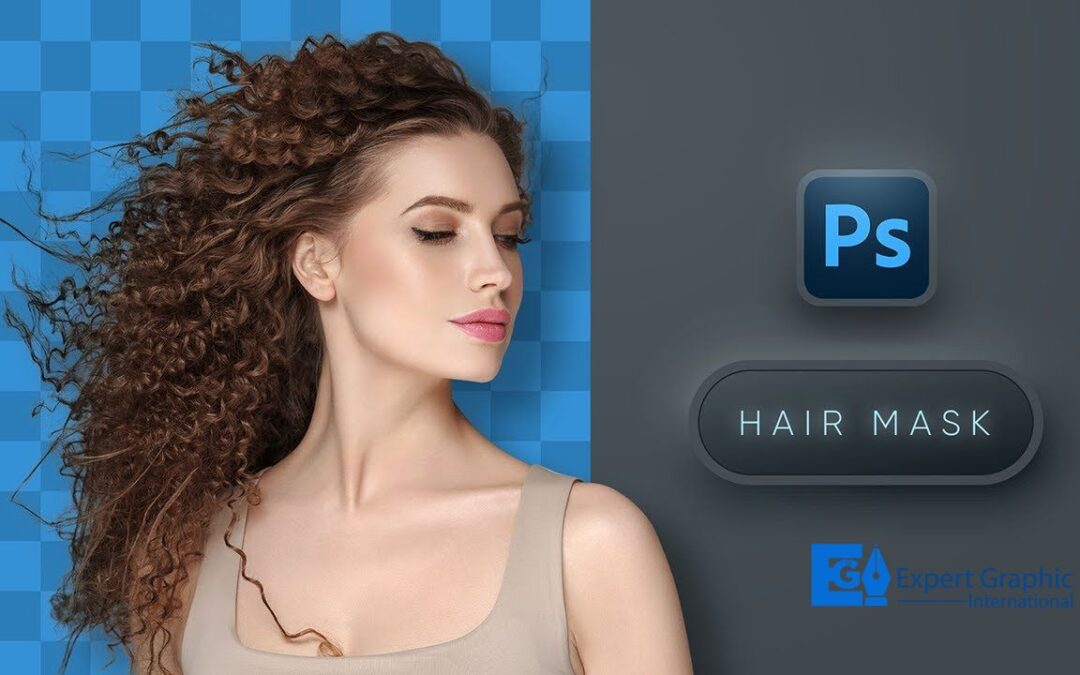
Introduction to Hair Masking
Today, images matter more than ever. As a photographer and photo editor for 14 years, I know how important it is for images to look good. Your images must be sharp if you are a client, photographer, designer, marketer or seller. Hair masking is key when people are in your images. It makes hair look real and clear.
I have worked with models in New York. Curly and frizzy hair needed special masking for ad campaigns. Hair masking is not just cutting out the background. It keeps each strand clear, even in big images. Basic cut-outs do not work with complex hair. You need smart methods and care to keep it real. That is when expert hair masking matters.
This article shows what hair masking is, how I use Photoshop for it and why it makes images better. Why need hair masking services? If you sell hair products or want your brand to look good, these tips will help your images stand out.
What is Hair Masking?
Hair masking is a way to edit photos. It lets you remove hair from the background without losing detail. It uses a mask to show what is seen and what is hidden. This is good for models with curly or messy hair.
The edges look rough when you cut someone out of a photo with basic tools. Hair is not sharp; it is soft and blends with the background. Good hair masking makes it look smooth, like the background was never there.
This is common in fashion photos, ads and online stores. It helps change backgrounds and makes photos look better. Hair masking helps brands show clean, clear images.
Why Hair Masking Matters in Visual Design
Hair masking is important in visual design. Details matter. Our eyes catch small mistakes, especially with hair. If the mask is not smooth, it ruins the look. Even if people do not know why, they can still feel it. Good images can make or break a brand. You may have great lighting, an expensive camera and a nice shot. But if the edit is bad, the whole image is ruined.
Hair masking helps you:
- Keep hair looking natural
- Remove rough edges or blurs
- Change backgrounds without losing realness
- Make your images look like they are from a magazine
- Good hair masking keeps images sharp and clean from online stores to big ads. It is not just editing, it is part of the story.
Why Do You Need Hair Masking Service?
Hair Masking Service helps you get perfect photo edits. It is good for images with fine hair strands. Clipping paths do not catch fine hair. This leaves rough edges. Hair masking keeps each strand clear. It makes images look clean and real. It is useful for fashion photos, models and product pictures. Masking works with curly, frizzy or windblown hair. It cuts each strand from the background. This makes pictures look better. It also allows easy background changes. You can change colors, too. Hair detail is not lost. If you want clear, sharp and real images, hair masking is best. It makes your pictures look good. It also boosts your brand’s image.
Who needs Hair Masking Service?
Hair Masking Service is needed by:
Photographers and Studios- It improves portrait photos by refining hair and removing messy backgrounds.
E-commerce Businesses- It makes product photos clean by separating hair from backgrounds. This is key for fashion and beauty items.
Graphic Designers- It helps make good designs, ads and materials with clear hair and neat backgrounds.
Modeling Agencies- It is useful for portfolio photos where hair looks natural and backgrounds are changed smoothly.
Magazine and Print Media- It helps make hair look smooth and clear in professional images.
Video Production Teams- It is important for green screen work where hair needs to blend well with backgrounds.
Marketing and Advertising Agencies- It helps create sharp and clean visuals with good-looking hair.
The Importance of Hair Masking in Photoshop
Understanding Hair Masking Photoshop Techniques
Photoshop is the main tool for photo editors. For hair masking, it works well. But Photoshop is not magic. You need the right methods to get the best out of it.
The main ways to mask hair in Photoshop are:
- Layer Masking: This uses the brush tool to clean edges. It lets you control the details.
- Refine Edge Tool or Select and Mask: This is great for thin or soft hair. It makes smooth edges.
- Channels and Alpha Masks: This is for skilled users. It uses color to cut hair from the background.
Using these tools together keeps hair details while removing the background cleanly. Layer blending, feathering and edge work help balance what you see and what is clear.
In short, Photoshop gives you the tools, but skill and practice make it great or just okay.
Differences Between Clipping Path and Hair Masking
People often confuse clipping paths with hair masking, but they’re very different techniques used for different needs.
Clipping Path: This makes a hard-edged outline with the Pen tool. It is good for items with clear edges like tables, phones or clothes.
Hair Masking: This is best for fine things like hair, fur or smoke; anything soft, light or see-through.
Here’s a quick comparison:
| Feature | Clipping Path | Hair Masking |
| Best for | Hard-edged Objects | Fine, soft or Complex Edges |
| Tool Used | Pen Tool | Brush, Channels, Refine Edge |
| Output | Sharp Cutouts | Natural, Realistic coutouts |
| Detail Handing | Low | High |
| Transparency | Limited | Excellent |
Choosing the wrong method can make your image look unnatural. For anything involving hair, hair masking is the clear winner.
Types of Hair Masking Services
Layer Masking
Layer masking is one of the foundational methods used in Photoshop for detailed hair masking. It’s highly flexible and non-destructive, meaning you can edit and refine your mask without altering the original image. This method gives editors a high level of control, especially when working with images where individual hair strands must be preserved for realism.
With layer masking, editors apply a black-and-white mask to a layer. White areas of the mask reveal the content, while black areas conceal it. Shades of gray allow partial visibility, crucial for handling semi-transparent hair. This technique lets you blend the edges smoothly into the background, keeping the hair looking soft and natural.
What makes layer masking so effective is its adaptability. You can use soft brushes to refine tricky spots like flyaways or feather the edges for a more natural transition. For projects involving intricate hairstyles, frizzy textures or layered hair, this method is a go-to for professionals. It ensures precision while offering room for trial and error, making it one of the most preferred hair masking services.
Alpha Channel Masking
Alpha channel masking is a powerful way to edit images. It is very helpful when the subject’s hair and the background are very different in color. This method focuses on one colour channel with the most contrast. That channel is then turned into a black-and-white mask. It is very useful for removing or changing backgrounds that are busy or complex.
This method lets the editor work on the image pixel by pixel. It keeps even the tiniest hair strands clear and sharp. Editors use tools like levels, curves and brushes to make the mask perfect. Alpha channel masking works best when the hair is backlit or silhouetted. This is because light helps to show fine textures.
It may take more time and skill, but it is perfect for big projects like commercials and magazines. It is not easy for beginners, but experts can create very realistic results. These results are much better than what you get with basic masking methods.
Transparent and Translucent Hair Masking
Hair masking can be hard. It is even harder when hair is transparent or translucent. Hair is not always thick and solid. Blonde hair, hair with light behind it or hair on bright backgrounds often lets light pass through. That is why traditional masking methods often fail.
Transparent hair masking takes careful work. Professionals use many tools. They use layer masking, alpha channels and the Select and Mask tool in Photoshop. These help keep both the shape and the lightness of the hair. This makes the final image look natural. It does not look like it was cut and pasted.
This method is very popular in fashion photography. It works well for outdoor shoots and ads. Light changes how hair looks in these scenes. Keeping those details can make the image go from flat to full of life. This care for light, shade and smooth edges turns hair masking into both art and skill.
How Hair Masking Enhances Digital Visuals
Creating Realistic Images
Let us talk about photos. Nothing is worse than seeing a person with messy hair edges in a photo. It looks fake and unprofessional. This happens when the hair is not cut out well. Whether it is for an online store, a magazine ad or a portfolio, pictures must look real. This is why hair masking is important.
Hair masking keeps the hair natural. It makes the image feel real and full of life. It does not look like it is just stuck on the background. It blends in perfectly. When changing a boring background to something bright or making the contrast stronger, hair masking keeps everything natural and clear.
It is also very good for business branding. People trust pictures that look real. If they see a person with hair that is not edited well, they may not notice it right away, but it will feel wrong. On the other hand, if the hair looks real and clear, it shows that the company pays attention to detail. It feels more professional.
In short, hair masking does not just make photos look better. It makes them feel real. In a world full of digital content, that feeling is important. Real images stand out. They make people look twice. Hair masking helps make that happen.
Improving Subject Isolation
Subject isolation is very important in visual storytelling. It helps the main subject stand out. There are no distractions. Hair masking is the best way to do this.
Hair masking lets editors place the subject on any background. It can be a white background for products. It can be a bold scene for fashion. It can be a branded look for marketing. This gives a lot of freedom.
Hair masking is not like rough cut-outs. It keeps the softness and detail of the subject. You do not lose any details. You get full control of how the subject looks. It is perfect for catalogs and ads. It keeps styles the same, even if images are from different places.
This opens many new doors for creatives. One photo can be used in many ways. Each time it can have a new look. There is no need for more shoots. It saves time. It makes things simple and clear.
Enhancing Product Presentation
Product photos are important for online shopping. Customers cannot touch the product. They only see pictures. If models are wearing the products, how their hair looks is important too.
Professional hair masking makes the hair look neat. It does not overlap with the product. This keeps the focus on the clothes or accessories. It also helps change the background and lighting. The hair still looks natural and smooth.
Stores use masked images to make ghost mannequins. This makes all the photos look the same. When the photos match, the store looks good. Whether it is hats, sunglasses or jewellery, hair masking makes the product and model look perfect together. Good masking makes the brand look better. It also helps sell more products..
Step-by-Step Guide to Hair Masking in Photoshop
Tools Required for Hair Masking
You need a well-equipped digital toolbox to execute precise hair masking, especially in Photoshop. While skill and experience play a massive role, using the right tools can dramatically improve speed and accuracy.
Here are the essential tools for hair masking in Photoshop:
- Quick Selection Tool: Great for general selection before refining the edges.
- Refine Edge / Select and Mask: The go to feature for intricate masking, especially for wispy or flyaway hairs.
- Brush Tool: Ideal for manually refining masks using soft edges or cleaning problem areas.
- Channel Panel: Useful for alpha channel masking when high contrast between hair and background exists.
- Zoom Tool: Precision matters. Zooming in allows pixel-level refinements.
Additionally, graphic tablets like Wacom provide pressure-sensitive controls that make hair masking more intuitive and natural. A high-resolution monitor also helps ensure that fine details are not missed during editing.
Time-saving tip? Use Photoshop actions or custom brushes tailored for hair detail. These can significantly reduce manual labour while maintaining professional quality.
The Masking Process Explained
Open the image in Photoshop. Duplicate the background layer to keep the original safe. Use the Quick Selection Tool to pick the main subject. Do not focus on fine hair details yet. Enter the Select Mask workspace. A new window shows sliders with a preview pane. Adjust the radius slider. Tweak the feather slider. Raise the contrast slider. Use the Refine Edge Brush tool. Brush over hair edges gently. Watch individual strands separate nicely. Send the result to a new layer mask. Now use a soft brush on that mask. Paint black to hide stray pixels. Paint white to reveal thin strands. Zoom in close on the hair tips. Remove unwanted bits carefully. Add a fresh background layer under the subject. Match the backdrop lighting. Match the backdrop colour. Blend the subject into the backdrop. Take enough time for the best results. Review every detail before export. The final mask looks natural.
Pro Tips for Flawless Hair Masking
Pro Tips to Make Hair Masking Easy and Clean: Many people who edit photos say that working with hair is not easy. These simple tips can help make your work better and smoother.
Use Clear and Big Images: Pick pictures that are sharp and large. Clear images give more detail. That means your work will look smooth.
Pick a Soft Background When You Edit: Use a gray or middle shade background. It helps you see small mistakes better than using white or black.
Zoom In Close and Look Around: Check the image in small parts. This helps you catch hair pieces or edges that are not masked well.
Make the Edges Soft: Hair should not have a hard line. Make the edge a bit soft. This helps it look natural in the new picture.
Try the Mask on More than One Background: Do not test only on a white background. Try it on light and dark ones. Some masks look good in white but not in black. Check how it looks in many places.
Save the Mask in a New Place: Save your mask in a new channel. This way you can go back and fix it anytime. You can also use it again for other edits.
Change the Light with Easy Tools: Use Curves or Levels tools. They help match the light and tone of the hair to the new photo. This helps the hair look like it was always part of the new image.
Focus on Small Things: Tiny edits can make a big change. If you care about the small parts, your work will look clean. Even people who do not know much about editing will see that it looks good.
Professional vs. DIY Hair Masking
Benefits of Hiring a Professional
Learning Photoshop takes time. Hair masking is one of its hardest tasks. This is why many people trust experts to handle it.
Let us explain why hiring professionals makes sense.
- Skill: Experts have worked with all hair types. They understand light and hair detail. They choose the right tools at the right time.
- Fast Work: A task that may take you many hours, a pro can do in much less time.
- Better Results: They do more than cut out hair. They fix lighting, improve tones and make the image look clean and sharp.
- Same Style in All Images: Brands need all images to look the same. A pro keeps every photo looking equal and neat.
- Smart Tools: Experts use special tools. These tools help them do things faster and better. Some use smart software that learns and helps.
If you have 10 images or 10,000, professionals can help. This lets you spend time on work that grows your brand or helps your content shine.
Common Mistakes in DIY Hair Masking
Thinking of doing it by yourself? That is fine. But get ready to learn. This task is not easy at first. Many people make mistakes at the start. Here are the most common ones:
- Soft Hair Edges: Some people try to smooth all the edges. This can make the hair look too soft. It will not look real. The shape of the hair becomes lost.
- Missing Small Hair Parts: Many use the Eraser tool. That removes thin hairs by mistake. Some forget to use Refine Edge. This makes the hair look broken or cut.
- Bad Light Match: If you skip fixing light and shade, the new background will not look right. The hair will not blend well. It will look fake.
- Merging the Layers Too Soon: When you merge layers too early, you cannot fix the mask later. Keep a masked layer so you can go back and make changes.
- Wrong Hair Colors: Hair can take on colors from behind it. Grass, for example, can make hair look green. Not fixing this will make it look wrong.
Want to avoid these problems? Keep learning. Watch easy video guides. Take your time. You can also call a skilled editor to help. This is the best plan when the work is important.
Industries That Benefit from Hair Masking
E-commerce and Product Photography
Online shops must look good. Great pictures help people decide what to buy. A clear photo makes it more likely that someone will want the product. Hair masking helps when people show clothes, makeup or jewelry.
Hair masking helps in many ways:
- It makes the model stand out with a white or plain background.
- It keeps the focus on what is being sold, not messy hair.
- It helps all pictures look the same by using the same light and colors.
Many clothing brands and makeup sellers use this. Online stores such as Amazon or Shopify need clean pictures. They want each photo to look neat and the same. A clear photo builds trust. A neat image helps people feel good about buying.
Fashion and Editorial Use
Fashion depends on visual beauty. Editors, photographers and layout artists need every detail to look perfect. In fashion shoots, lookbooks or magazines, model hair can be wild, flowing or complex. This makes working with it hard. Hair masking makes this easier.
Hair masking helps in many ways. It keeps hair strands sharp for clear and large prints. It lets editors build new images using many pictures. It also makes it easy to change backgrounds. This helps match each season or show a brand’s mood.
Designers often go beyond simple edits. They create dream-like pictures. They mix models into digital scenes. Some add light shapes. Some use double images. Others create soft or bold art.
Hair masking is not only about taking out the background. It gives more power to be creative. Editors do not lose the real look of the model. They keep both beauty and truth in the image.
Advertising and Marketing Agencies
Clear, bright images are key in ads. These include billboards, web banners and video previews. Simple images catch the eye fast.
Agencies use hair masking to stay flexible. This tool helps them do many things. It can:
- Make new scenes by mixing many pictures.
- Move hair to fit the look of the ad.
- Keep colors neat and smooth at the edges.
Think about a fitness ad. People run and jump. Hair moves fast in the air. Only great hair masking can keep this real.
Good masking makes each ad feel full of life. It works in print. It also works online. It shows energy in every frame. With strong masking, the hair looks clear. It does not blur or fade. This helps the ad stand out.
Choosing the Right Hair Masking Service
What to Look for in a Provider
Every hair masking service is different. Before you hire one, take time to check their work. Use this list to guide your choice.
Look at their past work: Ask to see finished samples. Focus on work that shows tricky hair, like curls or thin strands. See if they do a clean job with edges.
Check how fast they work: Will they deliver the work in time? Do they keep the quality high when they work fast? That matters if you have tight deadlines.
Ask about their tools: Find out what methods they use. Do they use layer masks? Do they work with channels? Do they use tools powered by smart tech? Make sure they use modern methods that give sharp, clean results.
Read what others say: Look at feedback from past clients. Were they happy with the service? Did they get what they wanted? Were their edits smooth and neat?
See how they talk with clients: Do they reply fast? Are they open to changes? Good talk can stop mistakes before they start.
A great team gives you more than one good file. They give you top results each time. They can also grow with your needs. Some even let you try a free test job. If you get the chance, try that before you sign up.
Cost vs. Quality Considerations
Price is always important, especially for large image projects. However, with hair masking, the cheapest option can often cut corners. Simple edits, jagged edges and mismatched colors can do more harm than good.
Here is how to find a balance between cost and quality:
Per Image Pricing: Most services charge based on how complex the task is simple hair, medium detail or highly complex.
Bulk Discounts: If you have many images to edit, ask for discounts.
Revisions Policy: Make sure the service includes minor touch-ups or changes.
Paying a little extra sometimes means fewer problems, stronger branding and long-term savings. After all, re-editing takes time and time is money.
Hair Masking in the Age of AI and Automation
AI Tools for Hair Masking
Artificial intelligence has changed many parts of design and hair masking is one of them. Tools like Adobe’s Select Subject and Background Remover are now smarter, faster and more accurate.
AI can:
- Quickly detect and separate hair.
- Suggest the best masks based on contrast.
- Make bulk processing faster and easier.
Even though AI is quick, it still has trouble with unique textures, transparent hair or complex lighting. This is why many professionals use AI to start the masking process and then finish it manually to get the best results.
Human Touch vs. Automated Results
Should you trust AI or stick with human editors?
- AI Benefits: Quick, cost-effective, scalable, ideal for simple tasks.
- Human Benefits: Accuracy, customization, creative control and managing complex situations.
What is the best approach? A combination. Let AI do the basic tasks and allow a skilled editor to fine-tune the results. This combination boosts productivity while keeping quality high. In hair masking, machines may assist, but the human eye and hand still hold the edge.
Future Trends in Hair Masking
Integration with Augmented Reality
As more people use AR in mobile tools and ads, hair masking is growing to work with live changes. Trying new hairstyles, wigs or hair items on screen needs smart hair masking that moves with the user. Many teams are making fast hair masking tools. These tools follow hair as it moves. They use smart tech and face tracking to do this.
Soon, people will be able to:
- Try different hair looks or hats with live view.
- Change their hair shade or swap the background in live video.
- Play with things on screen that move with their space.
This is not made up. This is the next big step in the digital world.
Real-Time Editing and Instant Results
Picture this: you upload a picture and get a clean, masked version in seconds. Thanks to smart cloud tools and strong AI, this is now real.
Many tools now include:
- Simple drop-in hair masking.
- Quick look at masked photos.
- Group edits for many pictures at the same time.
These new tools help solo designers. They also help people who run social posts. They help small shops that sell online. These folks need things fast. They do not hire big teams. Still, there is a trade-off. Fast tools may miss small things. Great results still need people. But when time is short, quick edits help a lot.
Tips to Get the Best Out of Hair Masking Services
Preparing Your Files
Start with good prep. A clear, top-quality image makes hair masking much better. Try these steps:
- Use sharp images with high detail, at least 300 DPI.
- Keep the background plain. Pick a tone far from the hair color.
- Send RAW image files when you can.
Light the photo well. Make sure no dark shadows fall on the hair. Bright, crisp photos with strong contrast help a lot. They make haircuts smooth. The end result looks clean and sharp.
Communicating Your Requirements Clearly
Clear steps bring good results. When working with a freelancer or a company, try to do the following:
- Say the exact background color you want. Say if you want to change it.
- Tell them about your product rules. Mention your brand style too.
- Show a few pictures that match the look you like.
- Ask for layered files. These help if changes are needed later.
When you say all of this before work begins, it saves time. It also helps avoid extra changes. A clear plan helps the editor know what to do. That means better work. It also means faster results.
Case Studies: Success with Hair Masking
Before and After Examples
People believe more when they see. Picture a fashion photo. The original had a lot going on in the background. It was too bright. After using hair masking, the model stands out. The background became soft pastel. The hair stayed smooth. It flows. It looks real. It shows clear lines.
There is another case. An online store that sells wigs tried hair masking. Each wig was placed on the same model. Each look had a new hairstyle. This gave the store a neat set of pictures. Every photo looked the same in layout. This helped the store sell more. The result was a 25 percent rise in sales.
Conclusion
Professional hair masking is not only a trick in editing. It is a key tool in modern design work. Many businesses use it. E-commerce shops use it. Fashion brands use it. Creative teams use it. It helps people see hair clearly in pictures. That makes photos look clean. That makes them look real. It also helps them stand out.
Hair masking tools are growing fast. Some people use Photoshop. Some use AI tools. Others work with real-time edits. Some even use AR. These methods keep changing. But one thing does not change. That thing is quality. When people first see a photo, they make a quick choice. If the photo looks good, they remember it. If it does not, they forget it. Good hair masking helps photos look sharp. That sharp look helps brands grow.
FAQs
What is the best tool for hair masking?
Adobe Photoshop is the top tool for hair masking. It gives many options like Select and Mask, Layer Masks, plus Channel Masks. These help you get sharp, clean edges with lots of control.
How long does expert hair masking need?
Quick jobs may take 15 to 30 minutes. If the image has lots of fine hair or is large, the work can take 1 to 2 hours.
Can I use hair masking for moving images?
Yes. Hair masking works for videos too. It takes more skill. You must edit each frame. Tools like Adobe After Effects and Roto Brush 2.0 help track hair in motion.
Does hair masking work on curly or frizzy hair?
Yes. Hair masking works well on all hair types. Curly or frizzy hair needs special care. Basic tools often fail to catch the full shape. That is why expert help is key.
What does hair masking cost?
Prices start at $1 for each image. Some jobs may cost up to $15. The price depends on the image’s size, sharpness or complexity. Ask for a price before the work starts.