
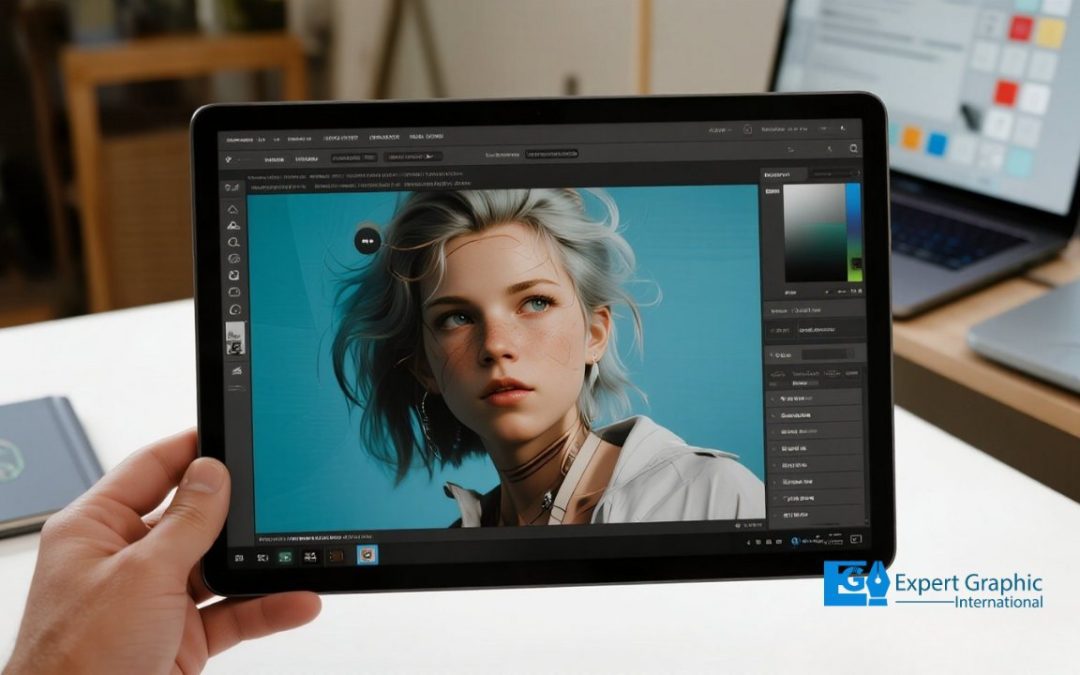
Adobe Photoshop is a powerful image editing software developed by Thomas and John Knoll in 1987. Initially designed to display grayscale images, it evolved into a tool for photo editing, manipulation, and digital art, becoming the industry standard. Photoshop is widely used by graphic designers, photographers, and digital artists for tasks like photo retouching, compositing, and graphic design. It offers advanced features such as layer management, AI-powered tools, and the ability to work with video. Photoshop is integral to business design needs, including marketing materials and product photography. Although it has paid alternatives like Affinity Photo and free options like GIMP, Photoshop remains unmatched for its versatility and professional tools. With Photoshop, you can unleash creativity for both personal and business projects, from enhancing photos to designing graphics and digital art.
What is the definition of Adobe Photoshop?
The definition of Adobe Photoshop is a powerful, professional raster graphics editor and computer application software developed by brothers Thomas and John Knoll starting in 1987, and published by Adobe Inc. for both Windows and macOS platforms. Primarily used for editing, manipulating, and retouching digital images, photos, and digital art, Photoshop is considered the industry standard tool for raster graphics editing. As a key component of the Adobe Creative Cloud suite, it is highly popular among graphic designers, photographers, user interface (UI) designers, and digital artists. Its widespread influence is demonstrated by the genericization of its name as a verb, commonly used as “to photoshop” an image.
What is the history of Photoshop?
The history of Photoshop begins in 1987 with its development by two brothers, Thomas and John Knoll. Thomas Knoll, a Ph.D. student at the University of Michigan, began writing the initial program, then called “Display,” on his Macintosh Plus to show grayscale images on a monochrome screen. His brother John, an employee at Industrial Light & Magic, recognized its full potential and recommended that Thomas develop it into a comprehensive image editing program. After briefly considering the name “ImagePro,” Thomas renamed the program “Photoshop.” In 1988, he worked out a short-term deal with scanner manufacturer Barneyscan to distribute about 200 copies of the program with a slide scanner. Also in 1988, the Knoll brothers sold the distribution license to Adobe Systems Incorporated, which went on to release Photoshop 1.0 in 1990. This release revolutionized image editing with features like layers, quickly establishing Photoshop as the industry standard for digital art and photography.
What are the key features and capabilities of Photoshop?
Adobe Photoshop is a powerful and essential graphic design and photo editing software developed by Adobe, used by creative professionals such as photographers, designers, illustrators, and web developers to create, edit, and enhance digital images and artwork for both digital and print media. The key features and advanced capabilities of Photoshop include:
- Advanced photo manipulation and professional retouching, such as removing flaws or unwanted background elements, and adjusting image attributes like brightness, color, and contrast.
- Sophisticated image compositing, allowing users to combine multiple images and elements into a single composition.
- Robust layer management and graphic design features for complex creations and artwork.
- The application of various filters and effects.
- Integration of advanced AI-powered tools, such as Generative Fill.
- Capabilities for working with video and animation, alongside extensive file format support.
What is Photoshop used for?
The industry-standard uses for Adobe Photoshop are extensive, primarily focusing on image editing, graphic design, and digital art for professionals and skilled artists.
Key applications of Photoshop include the following:
- Photo Retouching and Correction: The software is the go-to application for editing photos, including adjusting brightness, color, and contrast, cropping images, correcting lighting, removing flaws or unwanted background elements, and making small retouching changes to ensure subjects look their absolute best.
- Image Compositing and Collages: It is used to composite multiple images together, crafting collages and complex photo compositions by combining different photo files and layering various elements into a single composition.
- Graphic Design and Digital Art: Professionals use Photoshop to create original digital art, design web graphics, manipulate pixels for detailed visual effects, and apply creative filters and effects.
- Advanced Media Work: The software also allows skilled artists to work with 3D art and video, extending its utility beyond traditional static image editing.
What is Photoshop used for in business?
The uses of Photoshop in business center around creating and editing high-quality visual assets that ensure a professional and unified brand image across all platforms.
As an essential tool, Adobe Photoshop enables companies and individuals across various roles to drive engagement and sales by developing attention-grabbing visuals, customizing existing media, and establishing a consistent brand style. Specific applications of Photoshop in a business context include:
- Designing and creating comprehensive marketing materials, such as social media graphics, engaging blog images, ads, brochures, and banners.
- Developing and maintaining branding elements, including logos, business cards, and consistent style guides.
- Retouching and editing product imagery and photography, which is crucial for high-quality e-commerce listings and product visualization.
- Creating and customizing digital assets like web graphics, website and app mockups, and customizing video assets to maintain a unified visual appearance.
What are the benefits of using Photoshop?
The benefits of using Photoshop include unparalleled image editing power, extensive versatility for various creative tasks, and features designed for professional efficiency and collaboration, making it essential for creatives, marketers, and businesses to produce high-quality graphics.
Specific advantages of using Photoshop are detailed below:
- Unparalleled image editing power, offering advanced tools for professional retouching and photo manipulation, utilizing both layer-based editing and modern AI features.
- Extensive versatility that extends beyond traditional photography limits, allowing users to create composite graphics, design marketing visuals, and prototype digital layouts, in addition to graphic design and digital art.
- The ability to efficiently create consistent, high-quality brand assets and stunning visuals for both print and web using tools like style presets.
- Providing full creative freedom by combining precise manual controls with the efficiency of AI automation.
- Seamless integration with other Adobe applications and features that invite team collaboration, ensuring accessibility and consistency across every designer on a team.
What is the difference between Photoshop and Illustrator?
The primary difference between Photoshop and Illustrator centers on the type of file structure they utilize and their core purpose. While both are Adobe applications used for working with images, Photoshop is fundamentally a raster graphics program primarily designed for editing and manipulating existing pixel-based images, whereas Illustrator is a vector graphics program built for creating scalable designs from scratch using mathematical paths and shapes.
These distinct applications dictate their ideal uses, based on whether the final artwork must be infinitely resizable or if photo editing is the main goal:
- Photoshop (Raster/Pixel-Based): This program is ideal for photo retouching, editing existing pixel-based images, and manipulating photographs or realistic digital art. The quality of Photoshop files is dependent on the resolution; manipulating pixels often leads to distortion or loss of quality when resized.
- Illustrator (Vector/Mathematical): This program is used for creating scalable graphics such as logos, icons, and crisp illustrations. Because it uses mathematical formulas (paths and shapes) instead of pixels, Illustrator designs maintain perfect quality and are infinitely resizable without any loss of sharpness or resolution.
What are the Photoshop system requirements?
The Photoshop system requirements generally include specific minimum and recommended specifications for optimal performance on modern operating systems. Before checking the minimum requirements, it is essential to ensure your operating system (Windows or macOS) and GPU drivers are up to date, as having sufficient RAM and a powerful GPU significantly improves performance for complex creative work.
The key specifications generally needed to run recent versions (2023/2024+) of Adobe Photoshop smoothly are:
- Operating System (OS): Windows 10 (64-bit) or newer, or macOS.
- Processor (CPU): Intel or AMD processor, 2 GHz or faster, with a modern multi-core design highly recommended.
- Memory (RAM): 8 GB minimum; 16 GB or more is strongly recommended.
- Graphics (GPU): A GPU that supports DirectX 12 (Windows) or Metal (Mac).
- Storage Space: A minimum of 4 GB, though 20 GB or more disk space is recommended. An SSD is recommended for improved performance over traditional drives.
- Display: A minimum resolution of 1280×800.
What are the alternatives to Photoshop?
The alternatives to Photoshop are numerous and suitable for users who only require standard photo editing features such as working with layers, correcting brightness and colors, or handling RAW camera files and wish to avoid Photoshop’s $22.99 monthly subscription cost.
While nothing can completely replace Photoshop’s state-of-the-art capabilities, including its two AI technologies (Firefly and Sensei), strong collaboration tools, and extensive plug-in support, certain applications stand out. Affinity Photo is frequently cited as the best alternative because it offers many high-end editing tools, such as composting and high-frequency separation, and utilizes a reasonably priced, one-time purchase model that avoids recurring subscriptions.
Other powerful alternatives to Photoshop, ranging from free options to professional tools with features like layers, AI editing, and RAW support, include:
- Paid Professional Tools: Affinity Photo (often recommended for its advanced features and availability across Windows, Mac, and iPad platforms).
- Powerful Free Options: GIMP (a robust, open-source editor that offers core capabilities).
- Web-Based Editors: Photopea (a versatile, web-based option).
- Specific Use Cases: Krita (focused on digital art) and Canva (optimized for quick designs).
What is Photoshop CC?
Photoshop CC (Creative Cloud) is Adobe’s industry-standard, subscription-based professional software used for image editing, manipulation, graphic design, and digital art, offering powerful tools for 2D and 3D tasks to creatives, photographers, and designers.
The designation “CC” refers specifically to the Creative Cloud distribution and licensing model that Adobe adopted in June 2013, replacing the previous version numbering and “CS” (Creative Suite) branding. Unlike the earlier perpetual licenses (such as CS6), Photoshop CC operates on a subscription model, providing constant updates, seamless feature access, and strong integration with the broader Adobe ecosystem; therefore, the key differences between Photoshop CC and its predecessors primarily concern licensing, update cadence, and features access rather than a wholly different application core.
What are Photoshop Elements?
Photoshop Elements is Adobe’s powerful, user-friendly photo editing software designed specifically for beginners, hobbyists, and enthusiasts. Positioned as a streamlined version of the more complex, subscription-based Adobe Photoshop, Elements focuses on ease-of-use by offering simplified tools, an intuitive interface, and impressive editing capabilities, often utilizing a one-time purchase or term license model.
The software makes photo enhancement accessible without requiring professional experience, delivering its capabilities through several core features:
- The power of AI, templates, and simplified features to handle tasks ranging from quick fixes to advanced creations.
- Step-by-step guidance through “Guided Edits” for easy execution of complex creative projects.
- Functionality for organizing photos and automatically creating engaging projects like collages and slideshows.
- Three distinct editing modes (Quick, Guided, and Expert) to accommodate different user skill levels.
What is Photoshop Lightroom?
Adobe Photoshop Lightroom, often shortened simply to Lightroom, is an image organization, management, and editing application developed by Adobe and licensed as part of the Creative Cloud suite. Primarily geared toward professional photographers, Lightroom is specifically built to efficiently handle the entire photography workflow from the starting point of post-processing to finishing touches acting as a digital darkroom. It provides tools for non-destructive edits, allowing users to import, view, organize, tag, edit, and export large volumes of digital images across desktop (Windows, macOS) and mobile devices. Unlike the standard Photoshop, which is an advanced pixel-level editor used for complex image manipulation, composites, and graphic design, Lightroom serves as a dedicated “one-stop shop” focused on high-volume photo management and culling.
What are other tools in the Photoshop family?
Other tools in the Photoshop family include specialized applications designed for various photo editing and organizational needs:
- Photoshop Elements: This application provides a simplified toolbox, often featuring Quick and Advanced modes, to help users work on photos by selecting, enhancing, drawing, and viewing images.
- Adobe Lightroom and Lightroom Classic: These applications are designed specifically for professional photographers to efficiently organize, edit, and share large volumes of digital photos. Lightroom is the cloud-based version, while Lightroom Classic represents the traditional desktop-focused version.
What is the difference between Photoshop Mac and Windows?
The difference between Photoshop on Mac and Windows is that they utilize the same core application, rendering the fundamental functional differences negligible, but user experience and performance vary based on OS integration and specific hardware.
Photoshop CC runs similarly on both platforms, and users often find that whatever system they are accustomed to works best. There is no particular advantage for running post-processing software like Adobe CC on either system, and platform-specific issues, such as buggy releases or memory leaks, are frequently mirrored across macOS and Windows.
However, performance and user experience are influenced by hardware and operating system integration. Macs, especially those featuring Apple Silicon, often offer deep optimization, unified memory for speed, great displays, and superior battery life. In contrast, Windows provides broader hardware choices (including Intel and AMD options) and the potential for higher raw power using high-end GPUs, although performance is highly dependent on the specific PC build.
The main functional difference for daily use is the keyboard shortcut mapping, which relies on the Command key on Mac versus the Ctrl key on Windows. Windows is also often praised for having superior file dialogs and improved keyboard navigation.
How much does Photoshop cost?
The cost of Photoshop is determined by the specific subscription plan chosen, as Adobe primarily offers the software through recurring annual commitments billed monthly, and it is generally not available as a one-time purchase. The pricing varies depending on whether you choose the single application or a bundled multi-app plan. The single app plan for Adobe Photoshop typically costs around $23 per month (billed annually). A common alternative is the Photography Plan, which includes Photoshop, Lightroom, and 1TB of cloud storage, usually priced at about $20 per month (also based on an annual subscription). The annual cost for the single application plan generally exceeds $200. Discounts are available for students, teachers, and business plans, and alternatives like Affinity Photo offer one-time purchase options outside of the Adobe ecosystem.
How to learn Photoshop?
Learning Photoshop involves a structured approach that starts with foundational concepts and moves toward specialization, regardless of whether you are a graphic design professional or an aspiring artist looking to provide freelance services. This process requires focusing on core software concepts and reinforcing them through hands-on practice. The steps for learning Photoshop effectively are:
- Start with the basics: Begin your journey using introductory resources such as official Adobe tutorials or beginners’ guides found on platforms like YouTube.
- Focus on core concepts: Dedicate time to guided practice to master essential tools and foundational concepts, including working with layers, selections, and the various standard tool sets.
- Specialize and apply: Once the fundamentals are understood, specialize in a particular area (such as photo retouching or specific graphic design techniques) utilizing structured courses or specific tutorials relevant to your professional goals. Always reinforce your learning with hands-on projects to ensure practical application.