
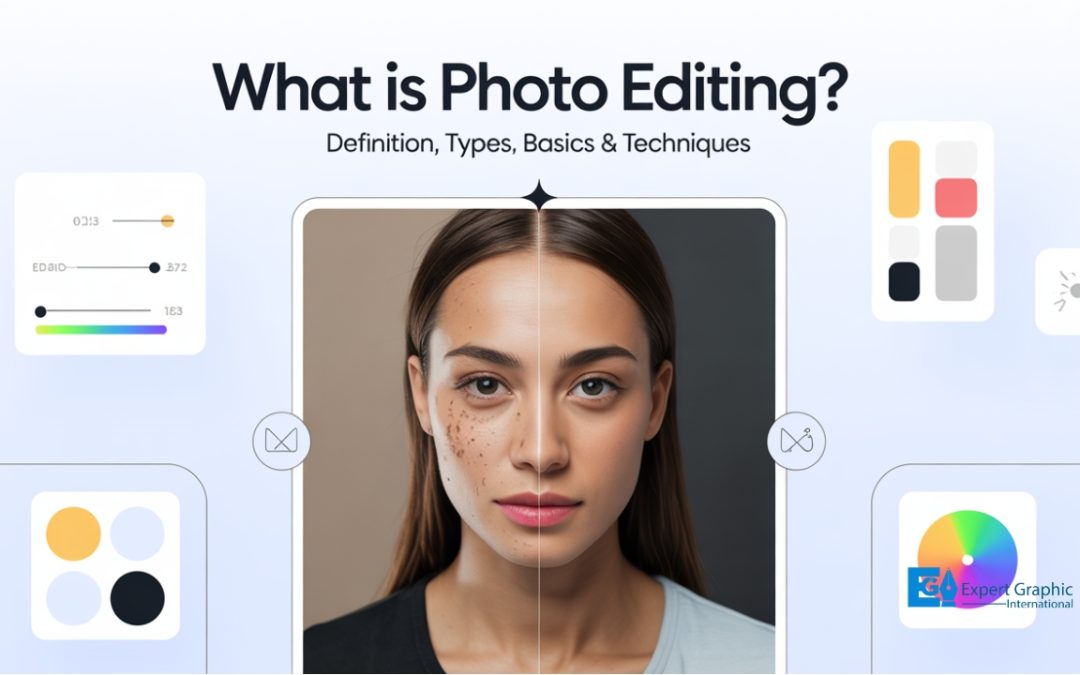
Photo editing is the process of changing and improving visual content, such as digital photos, film scans, or illustrations. Editors use basic tools such as exposure, contrast, and white balance to fix light and color. They use advanced techniques to retouch details, remove objects, or reshape scenes. Modern software lets you transform pictures by adjusting image quality, refining composition, or adding specific creative elements such as textures or overlays. Apps like Lightroom, Photoshop, Luminar Neo, and Snapseed make tasks such as color correction or retouching easy on both desktop and mobile. Some tools focus on detailed creative work, while others provide quick adjustments such as auto-enhancement or AI-based object removal. Editing can involve ethical decisions because some changes count as manipulation when they alter real visual content. Knowing common terms and studio processes helps you work more efficiently, such as applying global color adjustments or performing detailed skin retouching. Learning editing gives you control over your style and makes every shot count.
What Is Photo and Image Editing?
Photo and image editing is the comprehensive process of altering, manipulating, and enhancing images, whether they are digital photographs, traditional photo-chemical photographs, or illustrations. This process encompasses basic alterations to color, light, and tone, as well as fundamental tweaks like cropping, resizing, and adjusting saturation. It also includes advanced techniques such as photo retouching, manipulating composition and focus, swapping elements, or removing distracting or unwanted objects. While traditional analog image editing is often known as photo retouching, using tools such as an airbrush, modern image manipulation is primarily done using graphic software programs, which are broadly grouped into raster graphics editors and vector graphics editors. The term “image editing” usually refers only to the editing of 2D images.
What are common photo editing techniques?
The common photo editing techniques are foundational steps—often referred to as the “holy trinity of image correction”—that are crucial for image correction and are available in even simple editing programs to enhance images, making them more powerful and shareworthy. While the sheer number of filters and presets can be overwhelming, mastering these basic tools sets the photographer up to inspire and impress. These core techniques, which control the essential elements of light and color, include:
- Exposure: Controls the overall brightness of an image. Achieving optimal exposure is crucial, as underexposed images typically lack detail in shadows, while overexposed images lose detail in highlights.
- Contrast: Defines the tonal range between the darkest and lightest areas of an image. This technique can be used to create dramatic or subtle moods.
- White Balance: Corrects color casts caused by different light sources. Accurate white balance ensures colors appear natural and true to life.
How can image editing alter a picture?
Image editing can alter a picture by encompassing various processes used to manipulate, enhance, and transform 2D images, including digital photographs, traditional photo-chemical photographs, and illustrations. While traditional analog editing is known as photo retouching, modern techniques rely on graphic software (such as raster or vector editors) or intuitive AI-powered tools to make images more powerful and shareworthy. These tools provide users the ability to perform a wide range of modifications, such as:
- Manipulating, enhancing, and transforming the image to control its overall look and feel.
- Removing unwanted distractions or completely adding new elements to the picture.
- Modifying photographs or editing illustrations using traditional art mediums or rendering computer art from scratch.
What does image editing software allow you to do?
Image editing software allows you to alter, manipulate, enhance, and transform images—whether they are digital photographs, traditional photo-chemical images, or illustrations encompassing a wide spectrum of processes from simple fixes to complex computer art creation. These programs, which often fall into categories like raster or vector graphics editors, enable users to perform the following actions:
- Perform simple and essential adjustments, such as cropping, resizing, and rotating the image, often using built-in or free third-party software.
- Enhance visual quality by adjusting technical elements like exposure levels.
- Refine the composition of photographs by removing unwanted objects or making a good photo into a great one.
- Add creative elements like text and graphics to images, or render and create computer art from scratch (usually referring to 2D images).
- Restore, modify, or retouch old or damaged photos to their former glory.
- Transform images for specialized uses, such as creating animated GIFs from favorite shots.
What Applications Are Used For Image Editing?
The applications used for image editing are diverse, covering professional desktop suites, mobile-optimized tools, and comprehensive free web editors. Common applications and notable tools are listed below:
- Adobe Ecosystem Tools: This category includes Lightroom Mobile, which offers unmatched cloud syncing for users working across multiple devices, and Adobe Express.
- Mobile-First Editors: Applications optimized for mobile use include Snapseed (which is highly recommended for beginners or anyone on a budget), Leica Lux (offering a focused approach for camera-first shooters), and Darkroom (which provides pro-level tools without the pressure of extreme complexity).
- Comprehensive Editors: This category includes PhotoPad picture editor, recognized as one of the most stable, easy-to-use, and comprehensive photo editors available.
- Best Free Online Tools: Other popular free photo editing tools include Pixlr, BeFunky, Canva, Fotor, and Photopea.
What is the best photo editor application?
The best photo editor application often depends on the user’s specific requirements, such as professional-grade features, ease of use, or mobile accessibility. Based on comprehensive functionality and industry recognition, the top contenders include:
- Adobe Creative Cloud Photography Plan: This subscription offers professional tools, including Adobe Lightroom for general photo editing—featuring new functionalities like Generative Remove for touch-ups—and Photoshop for transformative edits using specialized tools powered by Adobe Firefly.
- Apple Photos (Mobile Version): Optimized for use on iPhone and iPad, this app is praised for its slick feel, easy organization, and computational photography wizardry. It supports Apple’s ProRaw format and offers standard adjustments, alongside unique mobile edits such as Long Exposure and Bounce effects for Live Photos. Newer versions (iOS 18.1+) feature advanced AI capabilities like Clean Up to remove distractions and Visual Look Up.
- PhotoPad Picture Editor: Considered one of the most stable, comprehensive, and easy-to-use photo editors available, PhotoPad offers a fast and fun way to edit digital photos.
What are the best apps to edit photos?
The best apps to edit photos include high-powered subscription services and intuitive, feature-rich free options:
- Lightroom: Cited as the number one choice for a free app, it is easy to use, simple, and provides extensive functionality. As part of the Creative Cloud Photography plan, it features advanced capabilities like the new Generative Remove, allowing users to quickly remove objects with a touch.
- Luminar Neo: Highly recommended as the best overall photo editing app because it is intuitive, fun, and surprisingly powerful. It delivers pro-level results without requiring an advanced skillset or locking users into a subscription, making editing feel creative rather than a chore.
- Photoshop: This app is typically used for transforming photos, often alongside Lightroom within the Creative Cloud Photography plan, utilizing advanced tools powered by Adobe Firefly.
What Is Considered Manipulation in Photography That Uses Image Editing?
Manipulation in photography that uses image editing is defined as the modification or alteration of an otherwise genuine photograph, often involving the improvement, addition, replacement, or transformation of various elements within the image. This alteration can range from minor adjustments, like replacing the sky, to significant changes, such as creating new features or objects from scratch. While some manipulations are considered skillful artwork driven by creative vision, they are deemed unethical practices when used to deceive, especially concerning political propaganda, humor, or altering a subject’s appearance.
In ethical contexts, manipulation specifically involves altering the content of a photograph by adding, rearranging, reversing, distorting, or removing people and/or objects from within the original frame. However, two standard actions are generally permitted and are not typically considered unethical manipulation:
- Cropping that removes extraneous details.
- Removing sensor dust or scratches found on scans of negatives.
How are edited pictures defined?
Edited pictures are defined by the process of image editing, which is the act of image enhancement and manipulation encompassing the alteration of both digital photographs and traditional photo-chemical photographs or illustrations. This post-processing is typically done using digital photo editing software which can include raster and vector graphics editors to enhance, improve, and adjust the visual effect and achieve a specific vision. Image editing involves a wide range of techniques, from basic adjustments like cropping, resizing, and altering tonal elements, brightness, contrast, hue, and saturation, to advanced techniques such as photo retouching, swapping faces, or eliminating distracting elements and unwanted objects. Historically, traditional analog image editing was known as photo retouching, often employing tools such as an airbrush.
What are some photo editing terms?
Some common photo editing terms include both the general concepts of image manipulation and specific techniques used in digital software. Photo editing is defined as the act of image enhancement and manipulation, which can involve basic tweaks or advanced techniques like photo retouching to remove distracting elements or unwanted objects. This process often utilizes digital software such as Adobe Photoshop or Lightroom (often part of the Creative Cloud Photography plan), which may include tools powered by AI technology, such as Adobe Firefly’s Generative Remove, to transform and remove elements in an image.
Specific processes and adjustments commonly referred to in photo editing include:
- White Balance: Adjusting the color temperature of the image.
- Exposure: Controlling the overall brightness or darkness of the photo.
- Contrast: Modifying the difference between the light and dark areas.
- Color Toning/Saturation: Adjusting the hue and intensity of the colors.
- Shadow & Highlight Adjustment: Fine-tuning the details visible in the darkest and lightest parts of the image.
- Sharpening & Noise Reduction: Enhancing detail definition and minimizing unwanted digital grain.
- Crop and Resize: Changing the dimensions and composition of the image.
- Straightening: Correcting skewed horizon lines.
- Photo Retouching: Advanced techniques used for manipulating images, which can include eliminating unwanted objects or swapping faces.
What Photo Studio Processes Involve Image Editing?
The photo studio processes that involve image editing encompass the act of image enhancement and manipulation, which is categorized into distinct stages ranging from broad adjustments to specific, localized techniques using professional digital software like Adobe Lightroom and Photoshop, often leveraging tools powered by Adobe Firefly.
The key image editing processes include:
- Global Edits: These cover broad adjustments, including basic tweaks like cropping, resizing images, and adjusting saturation, as well as critical overall modifications such as White Balance, Exposure, Contrast, and Sharpening.
- Detailed Edits: Reserved for specific, local adjustments and advanced techniques, these processes involve photo retouching, cleaning up skin, removing stray hairs, performing localized color toning, and using tools like Generative Remove to get rid of distracting elements or unwanted objects. This stage involves transforming and manipulating photos using sophisticated techniques, such as those powered by Adobe Firefly.
Should you learn digital photo editing?
The general consensus is that you should learn digital photo editing, as it is a crucial component of the photography process. If you are not utilizing post-production to edit your raw files in a style that is uniquely ‘you,’ you are potentially missing 50% of the overall process and might be wasting money on professional camera gear, especially since modern phone cameras and their built-in editing software are highly capable. Furthermore, engaging in editing doesn’t just make the final image look better; it can help you become a better photographer behind the camera, and for many, editing will always remain an essential part of the photographic workflow.
What is a photo editing program?
A photo editing program is software designed to modify, enhance, and transform digital photographs, offering a stable and comprehensive set of tools for both simple and complex adjustments. Programs like Adobe Photoshop, Lightroom (often integrated into a Creative Cloud Photography plan), PhotoPad, and Luminar Neo, utilize powerful and approachable features, including AI technology and Generative tools (such as Adobe Firefly). These capabilities allow users to perform advanced edits efficiently, such as replacing an entire sky, enhancing portraits, removing unwanted objects (like using Generative Remove), or simply editing pictures in a fun and fast way.