
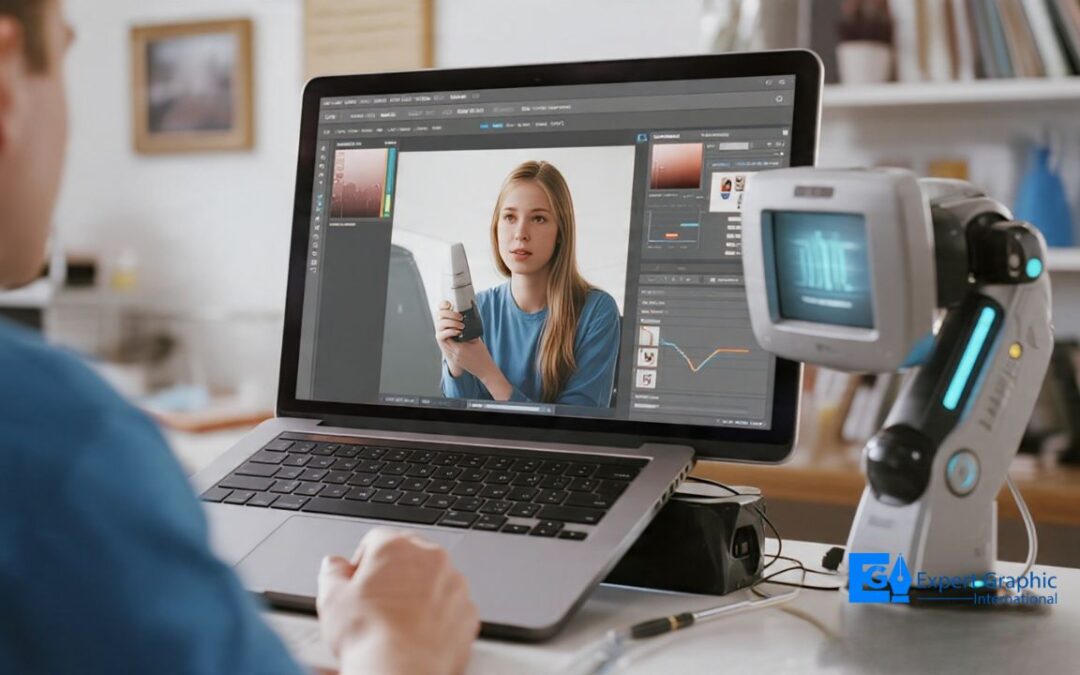
AI photo editing is shifting from hand-tuned pixels to intent-based direction: you set the vision, and software does the heavy lifting. It is changing the industry by cutting manual work, costs, and learning curves. Today’s AI culls, masks, crops, retouches, removes objects, and merges exposures. Top tools include Photoshop, Luminar Neo, Imagen AI, Fotor, MagicHour AI, Claid.AI, and Phot.AI. In workflows, AI sorts, batch-edits, masks, fills gaps, and upscales. It wins on speed and consistency, while manual work keeps nuance and precision. Teams use it for processing, concepts, admin, marketing, and brand control. Choose tools by quality, cost, rights, and fit. AI won’t replace pros. It can scale your style, but news and brand disclosure, skills, risks, and detection keep work honest.
What is the future of AI in photo editing?
The future of AI in photo editing is a transition from manual pixel manipulation to intent-based conceptual direction through human-machine partnerships. AI systems utilize deep context to interpret visual data. Software executes alterations via text commands and gestures. This technological shift replaces manual masking and curve adjustments with automated precision. Photographers provide creative vision while AI supplies technical support.
How is photo editing transforming the industry?
Photo editing is an industry-standard digital imaging process that transforms the industry by replacing manual workflows with artificial intelligence automation to reduce production costs and democratize content creation. This transformation features machine learning integration within post-processing software. Artificial intelligence automates technical corrections. AI analyzes 3 specific image contexts: foreground, subject, and sky. This technology lowers the professional learning curve. Real-time enhancements occur during the image capture phase. Modern imaging serves as a core business driver for consumer engagement.
What types of AI technologies are shaping modern photo editing workflows?
AI technologies are computational tools that automate manual labor through six core functions: automated culling, intelligent masking, composition analysis, portrait retouching, object removal, and multi-exposure merging. The primary categories of AI technologies in photography are outlined below.
- Automated culling systems filter large image datasets to identify high-quality frames.
- Intelligent masking tools isolate specific entities such as subjects, skies, backgrounds, and reflections.
- Composition analysis algorithms correct horizons, vertical distortion, and image framing through automated cropping.
- Portrait retouching software modifies skin texture and teeth luminance for natural aesthetic improvements.
- Object removal networks eliminate sensor dust and unwanted reflections from image layers.
- Multi-exposure merging tools combine bracketed shots into high dynamic range photographs.
Which AI photo editing tools are leading the market today?
The leading AI photo editing tools in the market are Adobe Photoshop, Skylum Luminar Neo, Imagen AI, Fotor, MagicHour AI, Claid.AI, and Phot.AI. AI photo editors are software applications that utilize machine learning for visual enhancement. Adobe Photoshop features Firefly generative fill, neural filters, and automatic selections. Skylum Luminar Neo provides AI-first creative effects. Imagen AI executes professional batch-editing workflows. Fotor performs everyday editing tasks. MagicHour AI facilitates creative transformations. Claid.AI optimizes product photography through lighting and background removal. Phot.AI delivers quick image fixes. Use Adobe Photoshop, if the task requires professional creative control. The leading AI photo editing tools are outlined below.
- Adobe Photoshop: Firefly generative fill, neural filters, and automatic selections.
- Skylum Luminar Neo: AI-first creative effects.
- Imagen AI: Professional batch-editing workflows.
- Fotor: Everyday editing tasks.
- MagicHour AI: Creative transformations.
- Claid.AI: Product photography optimization.
- Phot.AI: Quick image fixes.
How does AI-powered photo editing work step by step in real-world workflows?
AI-powered photo editing is a computational photography process that automates image enhancement and manipulation through machine learning algorithms. The steps of AI-powered photo editing in real-world workflows are outlined below.
- Automated culling sorts keepers from large photograph sets using machine learning models to analyze focus, exposure, and composition metrics for efficiency.
- Adaptive batch editing applies personalized color correction across multiple files to maintain visual consistency while adjusting for unique lighting conditions per image.
- Localized masking creates precise selection boundaries for subjects or backgrounds to enable targeted enhancements without manual brush strokes or complex layer adjustments.
- Generative fill identifies unwanted objects and synthesizes new pixels to replace removed areas, blending the content seamlessly with the existing image surroundings.
- Advanced AI upscaling increases image dimensions and pixel density through neural networks to produce high-resolution files suitable for large-format printing or digital display.
How does AI photo editing compare with traditional manual editing methods?
AI photo editing is a digital image manipulation category that reduces post-processing time by 90% and ensures perfect consistency across large batches while traditional manual methods offer unmatched artistic nuance and pixel-level precision. AI software features prompt-based systems for workflow acceleration, while traditional software requires meticulous effort for specific tasks. AI systems are prone to occasional visual hallucinations. Photographers adopt AI tools, if the business model requires high volume. The comparative benefits of AI and traditional editing are outlined below.
- Time reduction.
- Batch consistency.
- Artistic nuance.
- Pixel precision.
- Workflow acceleration.
What are the main use cases of AI in professional and commercial photography?
The main use cases of AI in professional and commercial photography are automated image processing, pre-production concept generation, administrative workflow optimization, marketing automation, and visual consistency management. AI is a computational technology that functions as an assistant to studio operations. AI accelerates post-production workflows. Algorithms adjust exposure, contrast, and color balance automatically. Deep learning tools analyze lighting, tone, and texture to ensure visual consistency across entire photo sets. AI generates pre-production concepts and marketing materials. These systems refine image details and correct uneven lighting. AI delivers print-ready images, if the system completes automatic adjustments. The specific applications of AI in professional and commercial photography are outlined below.
- Automated image processing.
- Pre-production concept generation.
- Administrative workflow optimization.
- Marketing automation.
- Visual consistency management.
What factors should you consider before choosing AI photo editing tools or workflows?
The factors for choosing AI photo editing tools and workflows are project requirements, technical precision, software costs, output quality, rights ownership, and emotional authenticity. AI photo editing tools are computational software packages that use machine learning algorithms to transform digital assets. The selection of specific workflows depends on the balance between automated efficiency and artistic sensibility. AI handles background creation and budget marketing imagery. Traditional photography remains the standard for high-end commercial production, if the core subject matter requires emotional connection or specific rights ownership. Machine learning algorithms in tools like DeepArt.io, NeuralStyler, and Prisma generate realistic images through deep neural networks. These tools provide features for color adjustment, image resizing, and texture mapping. The preservation of individuality relies on technical skills and artistic sensibilities. The selection criteria for AI photo editing tools are outlined below.
- Project requirements
- Output quality
- Tool costs
- Workflow efficiency
- Rights ownership
- Technical precision
- Emotional connection
Will AI photo editing replace professional photographers and photo editors?
AI photo editing automates 3 core tasks: color grading, noise reduction, and background removal but does not replace the human judgment, creative direction, and contextual decision-making that define professional photography. The AI-generated photo editing market is valued at $4.8 billion in 2025. Tools like Imagen AI and Aftershoot reduce post-processing time by up to 80% for batch workflows. Professional photographers retain irreplaceable roles in live event coverage, editorial direction, and client relationship management.
Can AI editing tools maintain a consistent personal editing style across thousands of images?
AI editing tools like Imagen AI and Aftershoot learn a photographer’s personal style by training on their existing Lightroom edits, then apply that style consistently across thousands of images in a single batch workflow. Tools trained on a minimum of 3,000 personal edits deliver measurably consistent tone, exposure, and color grading results. Style consistency degrades when lighting conditions across source images vary significantly. Manual calibration corrections remain necessary for mixed-environment shoots.
Are AI-generated or AI-edited photos considered authentic in journalism and commercial use?
AI-generated photos are banned from documentary journalism. The World Press Photo 2026 contest rules explicitly prohibit AI-powered enlarging tools, pixel manipulation, and content addition that alters photographic reality. The C2PA Content Credentials standard embeds verified provenance metadata directly into image files. Commercial use policies vary by brand: 4 major stock platforms Getty Images, Shutterstock, Adobe Stock, and Alamy enforce mandatory AI disclosure labels on all AI-generated submissions.
Do AI photo editing tools require advanced technical skills to use effectively?
AI photo editing tools like Canva AI, Luminar Neo, and Adobe Firefly operate through prompt-based and slider-based interfaces that require zero coding knowledge and no formal photography training to execute basic edits. 3 core competencies determine output quality: understanding of light and composition, ability to evaluate AI-generated results critically, and knowledge of color theory for correction. Advanced retouching tasks frequency separation, luminosity masking, and targeted dodging still demand trained manual skills.
What are the risks or limitations of using AI in photo editing workflows?
AI photo editing workflows carry 5 documented risks: hallucinated pixel generation in generative fill, style inconsistency across mixed lighting conditions, ethical misrepresentation in documentary contexts, environmental computing costs, and overdependence on automated decisions that reduce editor skill development. Generative AI tools produce anatomically incorrect details distorted fingers, asymmetrical features, and unrealistic textures at a detectable error rate. Photographers who rely entirely on AI batch processing lose manual retouching proficiency within 12 to 18 months of exclusive automated use.
How can you tell if an image has been heavily edited or generated by AI?
AI-edited and AI-generated images are identified through 4 detection methods: visual artifact analysis, metadata inspection, C2PA Content Credentials verification, and AI detection tools such as Hive Moderation, DeepAI Image Detector, and Illuminati. Visual artifacts include unnatural finger anatomy, symmetrical noise patterns, inconsistent light source direction, and texture repetition in backgrounds. C2PA-compliant platforms embed tamper-evident provenance metadata into image files at the point of creation, allowing editors and publishers to verify the complete editing history.