
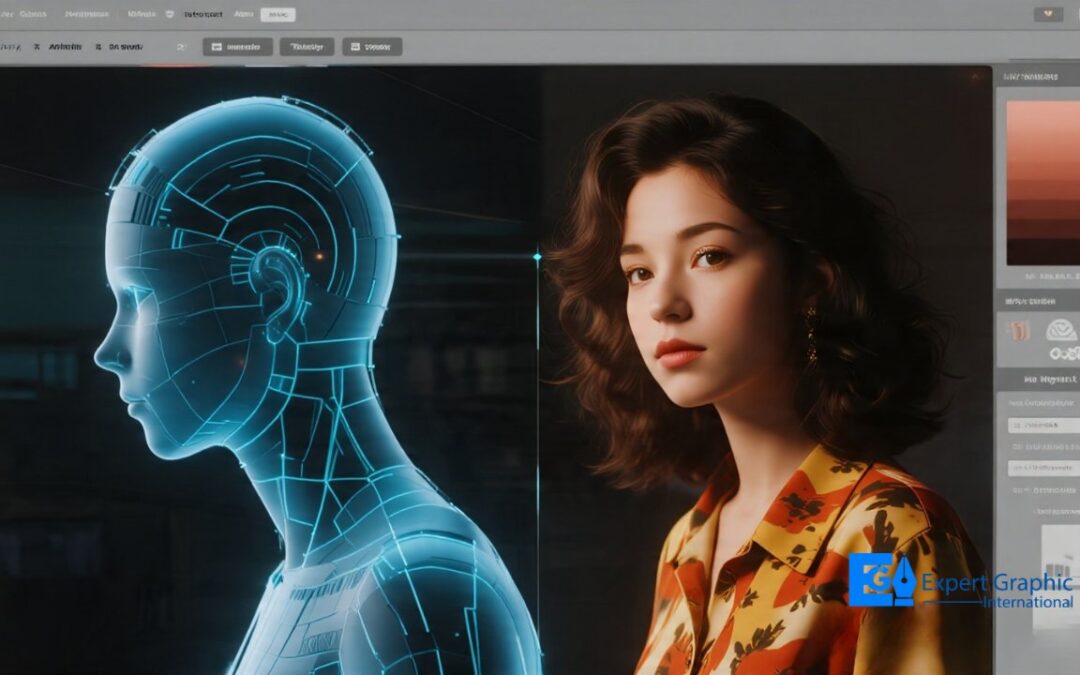
AI photo retouching uses machine learning to auto-edit images in 25 seconds. Human retouchers manually craft edits over 28 minutes scoring 9.5/10 vs. AI’s 5.16/10. AI suits bulk tasks like background removal and noise reduction; humans handle skin work, luxury goods, and color-critical catalogs. Tools like Adobe Firefly and Luminar Neo lead the AI space, while pros rely on frequency separation and dodge-and-burn. AI workflows wrap in under 2 minutes; human workflows run through briefing, layered editing, and QA. Pick AI for volume, humans for brand accuracy, or go hybrid cutting production time by 28.2%. AI tools cost $10–$249; human retouching runs $0.50–$200+ per image. AI can’t nail color accuracy, complex textures, or contextual judgment and it won’t replace skilled retouchers anytime soon. The smartest move? Use both.
What is AI Photo Retouching?
AI photo retouching uses machine learning algorithms to automatically detect, analyze, and enhance specific image elements including background removal, skin smoothing, noise reduction, chromatic color correction, and exposure adjustment without manual operator input.
AI retouching tools process images through convolutional neural networks (CNNs) trained on millions of labeled photographs. Adobe Photoshop’s Firefly engine, Luminar Neo’s Skin AI, Imagen AI, Aftershoot, and Topaz Photo AI apply learned visual patterns to automate editing tasks that traditionally required 10–30 minutes of manual post-production per image.
The AI retouching pipeline follows a structured sequence. The algorithm parses the image into semantic regions skin, background, product, and shadow then applies pre-trained correction parameters to each zone independently. The correction parameters include frequency-domain adjustments for texture, luminance curve modifications for exposure, and chromatic vector shifts for color balance.
According to Emergen Research (2024), the AI photo editors market reached $2.1 billion in 2024 and is projected to grow to $8.9 billion by 2034, registering a 15.7% compound annual growth rate. The growth reflects accelerating AI retouching adoption across commercial photography, e-commerce product pipelines, portrait photography studios, and social media content workflows.
What is Human Photo Retouching?
Human photo retouching is a professional post-production process where skilled retouchers use layer-based editing, frequency separation, dodge-and-burn, and chromatic calibration to manually enhance digital images preserving natural texture, brand color accuracy, and contextual realism at every stage.
Human retouchers operate within professional software environments including Adobe Photoshop, Lightroom Classic, and Capture One. A trained retoucher examines lighting, shadow depth, skin texture, chromatic balance, and compositional integrity before making any adjustment. Human retouchers understand contextual nuance for example, recognizing that a leather bag’s surface wrinkle is a design feature, not a defect.
Professional human retouching covers 4 primary service categories:
- Portrait retouching: frequency separation and dodge-and-burn for blemish removal while preserving natural skin pore texture
- Product retouching: clipping path, shadow creation, and chromatic color calibration for e-commerce accuracy and conversion rate optimization
- Fashion and beauty retouching: high-frequency skin work, hair strand compositing, garment color correction, and makeup enhancement
- Commercial retouching: brand-aligned tonal and chromatic adjustments applied consistently across full advertising campaign image sets
Human retouchers average 28 minutes and 39 seconds per image (Color Experts International, 2026), compared to AI’s average of 25.4 seconds per image. The extended processing time reflects depth of contextual judgment every adjustment is evaluated against the image’s commercial purpose and brand standard, not applied algorithmically.
What Is the Difference Between AI Photo Retouching and Human Photo Retouching?
AI photo retouching automates editing through machine learning pattern recognition, delivering 22.7x faster turnaround at 41.7% lower average quality. Human photo retouching applies creative judgment, contextual understanding, and brand calibration producing near-perfect output averaging 9.5/10 across professional quality metrics (Color Experts International, 2026).
AI retouching and human retouching differ across 5 measurable dimensions:
Speed: AI tools complete a single image edit in under 60 seconds. Human retouchers require 20–30 minutes per image for high-end commercial output.
Output quality: Human retouchers scored an average of 9.5–10/10 across 11 professional performance fields. AI image models including GPT Image 1, GPT Image 1.5, and Nano Banana Pro averaged 5.16/10 in the same evaluation, representing a 41.7% quality deficit (CEI, 2026).
Consistency: AI processes each image independently with no memory of previous edits. Human retouchers develop a style guide and apply consistent chromatic, tonal, and structural parameters across entire image catalogs.
Contextual judgment: AI algorithms cannot distinguish a product defect from a design feature, or determine when skin smoothing crosses into the uncanny valley. Human retouchers make these contextual decisions accurately on every image.
Format compatibility: AI tools fail on RAW and high-resolution TIFF files, producing distorted or unreliable outputs. Human retouchers work natively in RAW, PSD, TIFF, and layered file workflows with no parsing errors.
What Types of Photo Editing Tasks Are Best Suited for AI and Human Retouchers?
AI photo retouching excels at high-volume, pattern-based tasks background removal, noise reduction, exposure normalization, and basic skin smoothing. Human photo retouching delivers superior results for complex skin work, luxury product photography, hair compositing, brand-consistent catalog editing, and any task requiring contextual or creative judgment.
The following tasks are best suited for AI photo retouching tools:
- Automated background removal for standard product photographs with simple, non-transparent edges
- Batch exposure correction and white balance normalization across large e-commerce image sets
- AI-powered noise reduction using Topaz DeNoise AI or Adobe Lightroom’s Denoise tool for high-ISO photography
- Image upscaling through super-resolution algorithms in Topaz Gigapixel AI for low-resolution source files
- Basic skin smoothing for internal content pipelines, social media posts, or early-stage draft images
- Object removal for simple background distractors without complex edge interactions or transparent materials
The following tasks require professional human retouching expertise:
- High-end skin retouching using frequency separation and dodge-and-burn for portrait, beauty, and fashion photography assignments
- Chromatic color calibration for apparel, furniture, and cosmetics product photography where color accuracy directly affects conversion rates and return rates
- Hair masking and compositing for catalog consistency across beauty and fashion image sets with fine-strand detail
- Clipping path isolation for complex product edges jewelry, glassware, lace, and transparent or reflective materials
- Brand-aligned color grading applied consistently across multi-image commercial campaigns and full product catalogs
- Creative compositing and photo manipulation for advertising, editorial, and agency assignments with multi-layer complexity
Which AI Photo Retouching Tools and Manual Editing Methods Are Used Today?
Adobe Photoshop (Firefly AI), Luminar Neo, Imagen AI, Topaz Photo AI, Aftershoot, Evoto, and remove.bg lead the AI retouching tool market. Professional human retouchers use frequency separation, dodge-and-burn, clipping path, channel masking, and layer-based color grading within Adobe Photoshop and Lightroom Classic as the industry-standard manual editing methods.
The leading AI photo retouching tools used in 2026 are the following:
- Adobe Photoshop (Firefly engine): Generative Fill, AI object removal, neural sky replacement, and Subject Select. Subscription starts at $9.99/month for the Photography Plan with 20 GB storage.
- Luminar Neo (Skylum): Skin AI, Face AI, Bokeh AI, and dark-circle removal for portrait retouching. Available at $99–$139 one-time perpetual license or $119/year Pro subscription including all extensions.
- Topaz Photo AI: Specialized noise reduction, sharpening, and super-resolution upscaling. Starts at $17/month or $249 one-time.
- Imagen AI: Photographer-specific AI trained on individual editing style profiles for consistent batch color and exposure correction. Pay-as-you-go pricing model.
- Aftershoot: Wedding and portrait photography automation covering batch culling, AI retouching, and delivery. Reduces batch post-production time significantly.
- Evoto: Batch portrait retouching with cross-image consistency for high-volume studio and commercial output.
- remove.bg / Adobe Firefly: Background removal for e-commerce product photography at scale, with free tier for low-resolution output.
Professional human retouchers use the following manual editing methods:
- Frequency separation: Isolates texture information from color and tone data, enabling blemish removal while preserving natural skin pore structure. Eliminates the plastic appearance common in AI-processed portrait images.
- Dodge-and-burn: Manual luminance sculpting across skin and product surfaces for shadow depth, highlight recovery, and three-dimensional form enhancement.
- Clipping path: Precise manual pen-tool masking for complex product edges glass, jewelry, lace, and transparent or multi-layer materials requiring pixel-level accuracy.
- Channel masking: Advanced selection technique for hair strand and fine-detail isolation in compositing workflows involving complex foreground objects.
- Non-destructive color grading: Brand-aligned chromatic calibration applied through adjustment layers, preserving the original image data for revision and multi-format export.
How Does the AI and Human Retouching Workflow Compare From Start to Finish?
The AI retouching workflow moves from image upload to automated processing to export in under 2 minutes. The human retouching workflow moves from client briefing through layer-based editing, multi-stage quality review, and production-safe export over 20–45 minutes per image with contextual accuracy and brand alignment at every stage.
The AI Photo Retouching Workflow covers these stages:
- Image upload: The photographer or client uploads a JPEG or PNG file to the AI retouching platform.
- Algorithm parsing: The neural network segments the image into zones skin, background, product, shadow and identifies edit targets.
- Automated correction: The AI applies pre-trained adjustment parameters to each zone: skin smoothing, background removal, exposure correction, and color normalization.
- Output generation: The processed image exports in seconds. RAW or high-resolution TIFF files frequently cause parsing errors, producing distorted or unreliable outputs.
- Manual review: The photographer or client reviews the output and manually corrects AI errors a review and correction cycle that adds 15–30 minutes for problematic batch outputs.
The Human Photo Retouching Workflow covers these stages:
- Client briefing: The retoucher receives the image set with specific style guidelines, brand color references, shadow treatment specifications, and output format requirements.
- File setup: The retoucher opens the RAW or TIFF source file, constructs a layered PSD structure, and applies non-destructive edit architecture.
- Tonal adjustment: The retoucher corrects global exposure, white balance, and chromatic balance using curves and selective color adjustment layers calibrated to the client’s brand reference.
- Detail retouching: Frequency separation removes skin blemishes and product defects while preserving natural texture. Dodge-and-burn sculpts shadow-to-highlight relationships for dimensional realism.
- Final compositing: Background replacement, shadow creation, clipping path isolation, or product compositing completes the primary edit layer structure.
- Quality control: The retoucher evaluates the final output against the client brief and brand reference images, making final tonal and chromatic corrections.
- Export and delivery: The retoucher exports production-safe files in the client-specified format JPEG, TIFF, or layered PSD within the agreed turnaround window.
The hybrid retouching workflow combines both pipelines strategically. AI handles stages 3 and 4 as a first-pass automation layer, reducing total production time by 28.2% in documented testing). Human retouchers then apply precision to stages 5 and 6, delivering faster output without the quality deficit of fully automated processing. Hybrid workflows function correctly only when AI output is reusable. AI artifacts and distortions in the first-pass output create rework costs that eliminate the time savings.
How Do AI and Human Retouchers Compare in Quality, Accuracy, Speed, and Consistency?
Human retouchers score 9.5–10/10 in quality, deliver near-perfect chromatic color accuracy, and maintain brand consistency across full image catalogs. AI tools process images 22.7x faster at an average quality score of 5.16/10 — a 41.7% quality deficit validated across 11 performance fields in the 2026 Color Experts International study.
Speed: AI photo retouching tools complete a single image edit in an average of 25.4 seconds (Nano Banana Pro, CEI 2026). Human retouchers average 28 minutes and 39 seconds per image. For a 200-image e-commerce catalog, AI saves approximately 89 hours of raw processing time, a significant operational advantage for high-volume, deadline-driven pipelines.
Quality: Human retouchers consistently deliver near-perfect output, averaging 9.5–10/10 across all image complexity categories. AI quality varied widely across the same evaluation scoring between 2/10 and 10/10 depending on image complexity. Luxury goods, high-gloss materials, detailed product labels, jewelry, and hair care products showed the largest AI quality deficits in the CEI study.
Color accuracy: Human retouchers calibrate color output to match the physical product, reducing return rates driven by chromatic inaccuracy between the product image and the actual item. AI auto-correction shifts colors for aesthetic appeal rather than factual color representation a critical failure mode for apparel, cosmetics, and home furnishings photography.
Consistency: Human retouchers develop a style guide at project start and apply consistent tonal range, shadow treatment, and retouching depth across the full image set. AI processes each image independently with no cross-image memory, producing visible variation in white balance, shadow style, and skin tone treatment across batch outputs.
Technical versatility: Human retouchers work natively with RAW, TIFF, PSD, and high-resolution layered files. AI tools fail on unsupported formats producing distorted outputs or failing to interpret the input image correctly when processing RAW or high-resolution TIFF files, as documented in the 2026 CEI evaluation.
When Should Businesses Choose AI, Human Retouching, or a Hybrid Editing Approach?
Businesses choose AI retouching for high-volume, deadline-driven batches of standard images. Businesses choose human retouching for luxury brand photography, complex skin work, and color-critical product catalogs. Businesses choose a hybrid approach when speed and production-ready quality are both required simultaneously the emerging standard for scalable image production.
Choose AI retouching tools when the project meets these criteria:
- The image set contains 500+ standard product photographs requiring background removal and basic color normalization with no luxury brand standard
- Output format targets social media, internal presentations, or early-stage campaign drafts where production-safe consistency is not required
- The per-image budget falls below $1.00 and turnaround requirements fall under 24 hours
- Product photographs feature simple backgrounds, predictable geometry, and non-transparent materials
- The image type is high-ISO photography requiring noise reduction and sharpening without detail retouching
Choose professional human retouching when the project meets these criteria:
- The image set includes luxury goods, apparel, cosmetics, or jewelry where chromatic accuracy directly affects buyer trust, purchase conversion rates, and return rates
- The assignment requires brand-consistent styling across 50–500 images for a commercial advertising or e-commerce campaign
- Portrait and beauty photography requires frequency-separation skin retouching that preserves natural pore texture and avoids the plastic appearance of AI skin smoothing
- Complex compositing, multi-element object removal, or creative manipulation exceeds AI pattern-recognition capability
- The client or publishing platform holds images to a professional production-ready standard
Choose a hybrid retouching workflow when:
- High-volume e-commerce catalogs require fast turnaround alongside brand-consistent, production-safe output quality
- Wedding photography studios process 400–800 images per event and need consistent color grading and exposure normalization at scale
- The production pipeline separates predictable bulk tasks (AI first pass) from complex detail work (human refinement), reducing total post-production time by 28.2% (CEI, 2026)
How Much Does AI Photo Retouching Cost Compared to Human Retouching?
AI photo retouching tools cost $9.99–$20/month as a subscription or $99–$249 as a one-time purchase. Professional human photo retouching costs $0.50–$2.00 per image for basic edits and $10–$35+ per image for high-end commercial output. Hybrid retouching services average $1–$5 per image for production-ready results.
AI retouching tool pricing in 2026 is as follows:
- Adobe Photoshop + Lightroom (Photography Plan): $9.99/month (20 GB storage) or $19.99/month (1 TB storage).
- Luminar Neo (Skylum): $99–$139 one-time perpetual license for desktop or cross-device access, or $119/year Pro subscription including all AI extensions and updates.
- Topaz Photo AI: $17/month subscription or $249 one-time purchase for noise reduction, sharpening, and super-resolution upscaling.
- Imagen AI: Pay-as-you-go pricing structured by image volume suitable for wedding photographers processing large batches.
- remove.bg: Free tier for low-resolution outputs; API pricing scales by credit volume for e-commerce catalog applications.
Professional human retouching service pricing in 2026 is as follows:
- Basic retouching (background removal, exposure correction): $0.50–$2.00 per image.
- Standard product retouching (color correction, shadow creation, clipping path): $2.00–$8.00 per image.
- High-end portrait or beauty retouching (frequency separation, dodge-and-burn): $10–$35 per image depending on complexity and turnaround window.
- Commercial and advertising retouching (creative compositing, multi-layer manipulation): $50–$200+ per image for campaign-standard output.
The true cost comparison requires accounting for hidden time expenditure. A $20/month AI subscription for a 50-image e-commerce batch still costs 3–4 hours of manual review, error correction, and re-submission for failed edits. A professional retouching service at $2–$5 per image delivers production-ready output within 24 hours, eliminating the review burden entirely. According to McKinsey, AI reduces creative production operational costs by up to 30% when implemented correctly within a hybrid workflow structure not as a standalone replacement for professional human retouching expertise.
Can AI photo retouching achieve professional-quality results for commercial projects?
No. AI photo retouching tools score an average of 5.16/10 across 11 professional quality metrics, compared to human retouchers’ 9.5–10/10 average. AI delivers acceptable results for internal use and social media. Commercial photography for luxury brands, fashion campaigns, and product catalogs requires human retouching precision.
Why do AI-retouched photos sometimes look unnatural or overprocessed?
AI retouching algorithms apply uniform smoothing parameters across detected skin zones without understanding contextual realism. The Skin AI system removes texture indiscriminately, producing a plastic, pore-free appearance. The algorithm cannot determine when a blemish is a defect or a natural feature. Human retouchers use frequency separation to remove flaws selectively while preserving realistic skin texture.
Can clients tell the difference between AI-edited and human-retouched images?
Yes. Aftershoot’s 2025 photography industry report found that only 1% of clients expressed concern about AI authenticity in final delivered images. However, e-commerce buyers identify chromatic color inaccuracy in product images a primary AI failure mode at checkout, driving return rates. Brand-critical commercial images require human retouching to maintain color accuracy and visual trust.
Is AI likely to replace professional photo retouchers in the future?
No. AI photo retouching automates pattern-based tasks but lacks contextual judgment, creative decision-making, and brand calibration. The hybrid model AI handling bulk foundational edits with human retouchers refining final output represents the confirmed industry direction. Professional retouchers who integrate AI into their production workflows increase throughput without sacrificing quality control.
What photo editing tasks still require human expertise despite advances in AI?
Frequency separation skin retouching, complex hair masking, clipping path work on jewelry and transparent materials, brand-consistent color grading across multi-image catalogs, creative compositing, and client revision interpretation still require professional human expertise. AI fails to apply contextual judgment to creative decisions a core capability that defines professional-grade, production-ready post-production output.
How can photographers combine AI tools and manual retouching to improve efficiency without sacrificing quality?
Photographers use AI tools for batch culling, basic exposure correction, and noise reduction as an initial processing pass, then apply manual frequency separation and dodge-and-burn to hero images requiring high-end output. According to Color Experts International (2026), this hybrid approach reduces total post-production time by 28.2% while maintaining production-ready quality across full image sets.