
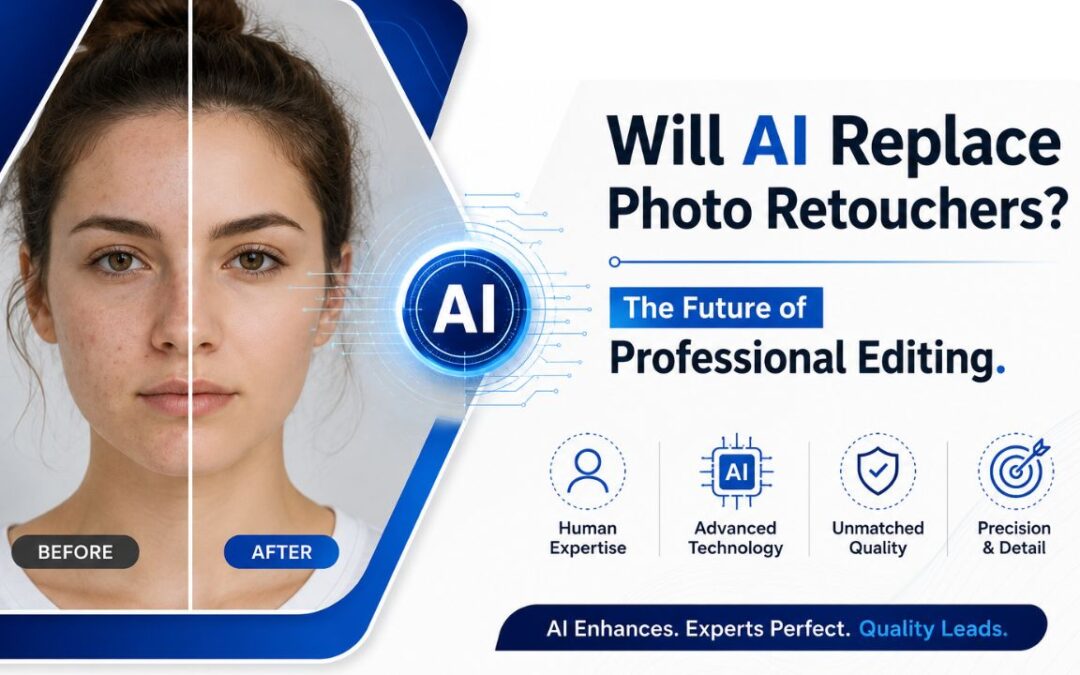
AI won’t replace skilled photo retouchers, it will assist them. AI photo retouching does not replace skilled retouchers; it changes how they work. AI handles fast, repeatable jobs like background removal, blemish cleanup, color matching, noise reduction, and sky swaps. Tools such as Adobe Firefly, Luminar Neo, Topaz Photo AI, Retouch4me, Aftershoot, Evoto AI, and Imagen speed up daily workflows. A smart workflow uses AI for culling, base edits, batch fixes, and first passes, while humans review, refine, and control quality. Human retouchers still lead in beauty, fashion, luxury products, compositing, brand consistency, and emotional style. AI cuts low-end costs, but craft still wins the big jobs. Use AI as the engine, not the driver.
What Does AI Photo Retouching Mean for Professional Retouchers?
AI photo retouching for professional retouchers means a paradigm shift from manual pixel manipulation to a hybrid role of technical supervision and artistic direction. AI photo retouching is a computational process that employs machine learning algorithms for the automatic detection and correction of image imperfections. This technology serves as a high-speed assistant rather than a total human replacement. Professionals maintain responsibility for final quality through the application of human judgment. Market exposure increases if the professional value proposition resides solely within high-volume cleaning tasks.
Which Photo Retouching Tasks Are Most Likely to Be Automated by AI?
Photo retouching tasks most likely to be automated by AI are predictable, rule-based, and repetitive operations. Photo retouching is a digital image modification process. Artificial intelligence executes pattern-driven tasks with higher speed and lower costs than human labor if the editing requirements follow consistent rules. Automated systems prioritize objective modifications over subjective or creative work. The photo retouching tasks most likely to be automated by AI are outlined below.
- Background removal: Tools like Remove.bg and Adobe Firefly’s Generative Fill handle clean background extraction in seconds. For e-commerce product shots with consistent framing, this is nearly fully automated.
- Skin blemish and acne removal: AI tools like Retouch4me Heal and Aftershoot detect and remove surface blemishes, stray hairs, and shine with surprising accuracy. The catch? They sometimes over-smooth and destroy skin texture, the classic “plastic skin” problem.
- Batch color correction and tone matching: Imagen AI learns your personal editing style and applies it consistently across thousands of images. For wedding and event photographers, this alone saves hundreds of hours annually.
- Noise reduction and image sharpening: Topaz Photo AI and DxO PureRAW use deep-learning models to remove digital noise and recover detail in high-ISO shots. Results often beat manual masking.
- Object and distraction removal: Photoshop’s Generative Fill and Content-Aware tools auto-remove unwanted objects from backgrounds. Simple removals that once required skilled cloning now take one click.
- Sky replacement: Luminar Neo’s Sky AI swaps skies with scene-aware blending. For real estate and landscape photography, this task is almost entirely automated.
- Teeth whitening and eye brightening: Basic portrait enhancement tasks brightening whites, smoothing tone transitions are handled reliably by Retouch4me, Evoto AI, and PortraitPro.
- Ghost mannequin effects: In fashion e-commerce, AI-assisted tools are beginning to automate the time-consuming neck-join and sleeve-fold work that used to require manual layer masking.
What’s not easily automated: creative retouching decisions, frequency separation for high-end skin work, complex hair masking on detailed textures, luxury product retouching where brand accuracy matters, and any work requiring emotional or aesthetic judgment.
Which AI Tools Are Changing Photo Retouching Workflows?
These aren’t just apps with a few smart filters. These tools are fundamentally changing how retouchers and photographers structure their entire post-production pipeline:
- Adobe Photoshop + Firefly: The industry’s backbone just got a major upgrade. Firefly-powered Generative Fill, Generative Expand, and the new AI Assistant (beta since March 2026) let you remove objects, extend images, and execute multi-step edits from a single text prompt. It’s the most integrated AI solution for pros already in the Creative Cloud ecosystem.
- Luminar Neo: A strong choice for photographers who want powerful scene-aware effects without deep manual masking. Its Sky AI, Atmosphere AI, Skin AI, and Face AI tools handle landscape and portrait enhancement in one platform. Batch processing and real-time previews are solid for mid-volume work.
- Topaz Photo AI: The go-to tool for technical recovery. Noise reduction (DeNoise AI), image sharpening (Sharpen AI), and upscaling (Gigapixel AI) are best-in-class. Starts at $199 for a lifetime license no subscription required.
- Retouch4me: Built specifically for portrait and beauty retouching, Retouch4me’s plugin suite (Heal, Skin Tone, Dodge & Burn, Apex) integrates directly into Photoshop and Lightroom workflows. Its core differentiator: it preserves skin texture while cleaning up the image, instead of blurring skin into a plastic-looking mess.
- Aftershoot: Purpose-built for high-volume portrait, wedding, and event photographers. Handles culling, AI editing, and AI retouching in one pipeline. Batch sync retouching changes across hundreds of images in seconds. The Aftershoot Snapshot 2025 report found photographers using AI culling and editing tools save an average of 473 hours per year.
- Evoto AI: A cloud-based platform with strong batch portrait retouching. Particularly effective for studio photographers who need facial feature control, skin smoothing, and background cleanup applied consistently across large sets.
- Imagen AI: Learns your personal editing style from your existing Lightroom catalog and applies it to new images. Especially useful for photographers who’ve established a signature look and want consistent output at scale.
How Can Retouchers Use AI in a Professional Editing Workflow?
The smartest way to use AI isn’t to hand over your entire workflow, it’s to build a hybrid pipeline where AI handles the volume work and you own the quality gate. Here’s how that looks in practice:
Step 1: Cull with AI. Use Aftershoot or Imagen to flag closed eyes, misfocus, duplicates, and weak expressions before you ever open an image in Lightroom. This alone can cut pre-editing time in half.
Step 2: Apply AI-based color profiles. Once you have your keepers, run your AI editing profile (Aftershoot Edits, Imagen presets, or a custom Lightroom AI profile) to establish consistent base exposure, white balance, and color tone across the set.
Step 3: Run AI retouching passes. For portraits, use Retouch4me Apex or Aftershoot’s retouching suite to handle blemishes, stray hairs, shine, and basic dodge-and-burn across the full batch. For products, let Firefly or Remove.bg handle background extraction.
Step 4: Human review and creative refinement. This is where you earn your fee. Review AI outputs at 100% zoom. Correct plastic-skin artifacts, check edge masking, restore crushed texture, and apply your creative direction — the tonal decisions, the stylistic color grading, the emotional reads that AI can’t make.
Step 5: Final QC and delivery. Humans still own quality control. Check consistency across the full set, confirm brand color accuracy, and verify the final files match the brief before export.
A 2026 hybrid workflow test by Color Experts International found this model reduced total retouching time by 28.2% on complex product shots — while maintaining production-ready quality that AI-only outputs couldn’t match.
How Does AI Retouching Compare With Manual Human Retouching?
The 2026 head-to-head study from Color Experts International is the most rigorous benchmark available. It tested GPT Image 1, GPT Image 1.5, and Nano Banana Pro against professional human retouchers across cosmetics, luxury goods, high-gloss materials, hair care, and products with complex textures. Here’s what the data actually showed:
| Factor | AI Retouching | Human Retouching |
| Speed | 22.7× faster on average | Baseline |
| Quality Score | 5.16 / 10 (avg) | 8.85 / 10 |
| Quality Gap | 41.7% lower | — |
| Best AI Tool | Nano Banana Pro (6/10) | Still 32.2% behind human |
| Consistency | Wildly variable | Stable across all categories |
Beyond the numbers, here’s where each approach stands out:
AI wins on: Speed for predictable tasks, cost at volume, batch consistency on simple images, and early-stage draft outputs.
Humans win on: Skin texture preservation, complex material realism (reflections, gloss, translucency), brand color accuracy, creative direction, geometric precision, and anything where “good enough” isn’t good enough.
A specific failure pattern appeared repeatedly in the AI test results: reflections and highlights often looked synthetic. Instead of removing glare cleanly, AI models flattened textures and introduced an “AI polish” look that made products feel less real. Human retouchers removed the same glare without breaking the surface lighting logic. For high-conversion product imagery, that difference hits your bottom line.
Where Do Human Retouchers Still Provide the Most Value?
AI can handle a lot but these are the areas where human retouchers still outperform automation, and likely will for years to come:
High-end beauty and fashion retouching: Frequency separation, dodge-and-burn, and nuanced skin work on editorial images require artistic judgment that no current AI can replicate. Knowing when to remove a mark versus when to keep it for character is a human call. Fashion photography, in particular, involves decisions about light, emotion, and brand identity that go far beyond pixel manipulation.
Luxury and jewelry product photography: Retouching a diamond isn’t about smoothing it it’s about enhancing each facet to maximize perceived sparkle while preserving authenticity. Retouching a luxury watch means protecting material realism, reflections, and surface geometry. AI consistently over-processes these images, damaging the premium feel clients pay for.
Complex compositing and image manipulation: Multi-layer compositions, perspective-matched product placements, studio-to-lifestyle image builds — these require spatial reasoning, layer-based control, and creative problem-solving that AI tools can’t execute reliably.
Brand consistency across campaigns: A human retoucher with a brand brief can maintain cohesive style, accurate signature colors, and consistent visual language across a full campaign. AI outputs vary by image type and prompt, making true brand-level consistency very difficult without heavy human oversight.
Emotional and narrative intent: A skilled retoucher understands the story behind the image the mood the photographer was chasing, the emotional weight of a moment, the subtle color decisions that make a shot feel cinematic versus clinical. AI works from pattern recognition. You work from meaning.
Should You Use AI Tools, Hire a Retoucher, or Combine Both?
The honest answer depends on what you’re producing, what quality level you need, and what budget you’re working with. Here’s how to think through it:
Use AI tools when:
- You have high image volume (wedding galleries, e-commerce catalog shots, social media content)
- The editing tasks are repetitive and well-defined (background removal, noise reduction, consistent color grading)
- Speed and cost efficiency are the primary constraints
- Output is for digital use where pixel-level perfection isn’t required
Hire a professional retoucher when:
- The image represents premium brand value (luxury products, high-fashion editorial, advertising campaigns)
- Creative direction, mood, and narrative intent matter
- You need technical precision on complex textures, materials, or compositions
- The image goes to print, billboard, or commercial publication
- Client revision cycles require communication, context, and judgment
Combine both when:
- You’re a photographer running high-volume shoots who also has high-end clients (the hybrid model is built for you)
- You need to deliver at scale without sacrificing quality on hero images
- Your budget is limited but your standards aren’t
The 2026 Color Experts test confirmed hybrid workflows deliver the best output. AI handles the initial pass on volume work. Human editors finalize, QC, and apply the creative direction. That combination AI for throughput, humans for precision is the direction the professional market is heading.
Is photo retouching still a good career in the age of AI?
Yes, photo retouching is still a strong career, but the skill floor has shifted. Retouchers who master both manual techniques like frequency separation and dodge-and-burn, and can direct AI tools intelligently, are in high demand. The market for specialized photo retouching services reached USD 3.2 billion in 2024 and is growing at 7–8% annually.
Can AI retouch skin and faces at a professional level?
AI can handle foundational skin cleanup, blemish removal, stray hairs, shine reduction at a solid level for volume work. But it consistently fails at the professional standard: it over-smooths skin, destroys texture, and creates a plastic appearance. A 2026 study scored human retouchers 8.85/10 versus AI’s 5.16/10 on quality, a 41.7% gap.
What skills should photo retouchers learn to stay competitive with AI?
Focus on skills AI can’t replicate: frequency separation, manual dodge and burn, complex hair masking, high-end product retouching, and creative color grading. Add proficiency with AI tools like Retouch4me, Aftershoot, and Adobe Firefly to handle volume efficiently. Retouchers who combine deep craft knowledge with AI tool fluency are the hardest to replace.
Will AI lower the cost of professional photo retouching services?
AI has already lowered the cost floor for high-volume, repetitive retouching tasks like batch background removal and basic skin cleanup. However, pricing for high-end retouching editorial, fashion, luxury product, advertising hasn’t dropped significantly because the human skill premium remains real. Expect price compression at the low end, not the top.
Are AI-edited photos suitable for commercial, fashion, and advertising work?
For commercial and advertising use, AI-only retouching typically isn’t production-ready. The 2026 Color Experts study confirmed that even the best AI models scored 32.2% below human retouchers on quality. Reflections looked synthetic, textures were flattened, and consistency was unreliable across image sets. Most agencies still require human review and refinement before final delivery.
What are the biggest limitations of AI photo retouching tools?
The biggest limitations are: plastic skin effect from over-smoothing, inconsistent results across image types, inability to make creative or emotional judgments, poor performance on complex materials like glass, jewelry, and fabric textures, and lack of true brand-consistency across a campaign. AI also struggles with layered PSD workflows, RAW file nuance, and any edit requiring contextual understanding of why a creative decision matters.